

Manual workflows drain productivity, create costly errors, and limit scalability. Traditional automation often fails due to poor integration and unclear planning. Agentic AI-driven automation transforms this by enabling systems to reason, plan, and execute complex multi-step workflows autonomously. This guide provides a structured approach to implement business process automation that achieves measurable results.
Table of Contents
- Introduction To Business Process Automation With Agentic AI
- Prerequisites: What You Need Before You Start
- Step-By-Step Implementation Roadmap
- Common Mistakes And How To Avoid Them
- Expected Results And Outcomes
- Security And Compliance Considerations
- Alternative Approaches And Tradeoffs
- Explore Advanced Agentic AI Solutions With Ailerons
- Frequently Asked Questions
Key takeaways
| Point | Details |
|---|---|
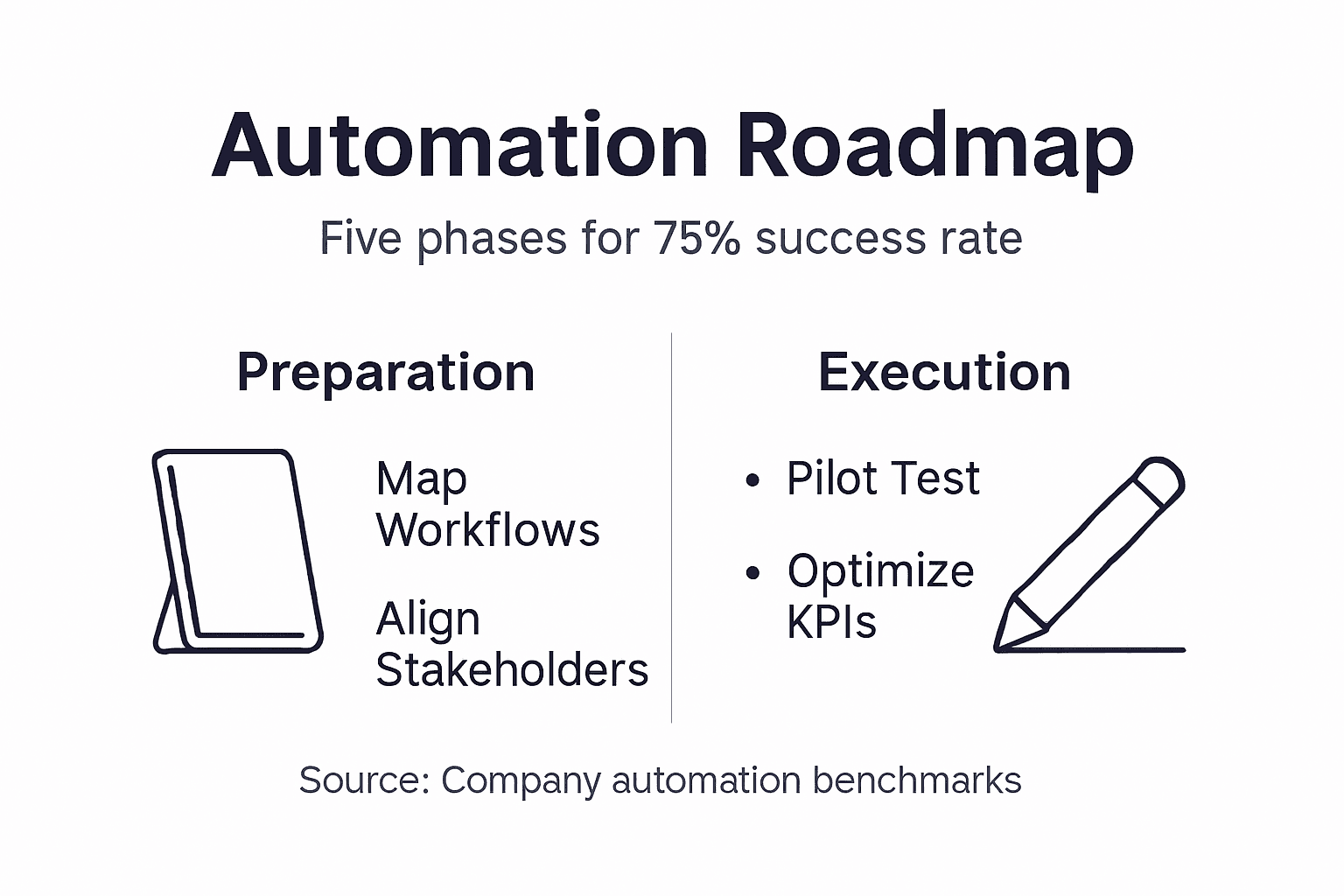
| Structured approach | A five-step automation process improves success rates to 75% by following discovery, design, technology selection, implementation, and monitoring phases. |
| Integration critical | Poor system integration causes 67% of automation failures, making thorough integration planning essential. |
| Phased rollout | Starting with pilot testing and continuous monitoring enhances scalability while reducing risk. |
| Clear prerequisites | Documented processes, executive sponsorship, and defined KPIs are foundational for success. |
| Agentic AI advantage | Unlike static scripts, agentic AI manages workflows with contextual decision-making and autonomous execution. |
Introduction to business process automation with agentic AI
Business process automation has evolved beyond simple rule-based scripts. Traditional automation tools execute predefined tasks in rigid sequences, breaking when conditions change unexpectedly. Agentic AI systems can reduce manual workflow steps by up to 60% by managing multi-step tasks with contextual decision logic, making them fundamentally different.
Agentic AI analyzes context, makes dynamic decisions, and adjusts workflows without human intervention. These systems understand goals and autonomously determine the best path to achieve them. When scheduling conflicts arise, agentic AI reschedules meetings, notifies participants, and updates calendars across platforms. When invoice discrepancies appear, it flags issues, requests clarification, and routes approvals to the right stakeholders.
The efficiency gains are substantial. Manual intervention drops dramatically because the AI handles exceptions intelligently. Error rates fall as consistent logic replaces human oversight gaps. Scalability becomes practical because adding workflow complexity doesn’t require proportional staff increases.
Typical applications include:
- Front-office coordination managing appointment scheduling, client communications, and document collection
- Administrative processes handling expense approvals, travel bookings, and internal requests
- Billing operations processing invoices, matching purchase orders, and reconciling payments
- Document management organizing files, extracting data, and routing approvals
- Compliance tasks maintaining audit trails, tracking deadlines, and generating reports
AI business process management shifts work from manual execution to intelligent orchestration. The system becomes a digital collaborator that works alongside your team, not just a tool they operate.
Prerequisites: what you need before you start
Successful automation requires solid groundwork. Jumping into implementation without proper preparation is why many projects stall or fail. Your organization needs specific conditions in place before agentic AI can deliver value.
Documented processes are essential. You cannot automate what you cannot describe clearly. Map current workflows in detail, including decision points, handoffs, and exception handling. Measure baseline performance metrics like cycle time, error rates, and manual hours spent. These numbers prove automation value later.
Stakeholder alignment determines whether resources materialize when needed. Executive sponsorship commits budget and removes organizational roadblocks. Department managers provide subject matter expertise and validate workflow logic. End users offer practical insights about edge cases and workarounds. Without this alignment, prerequisites for AI automation remain incomplete.
Technology infrastructure must support AI integration. Your systems need APIs or data exchange capabilities. Cloud platforms should align with modern identity and security standards. Legacy systems often require middleware or connectors to participate in automated workflows. Evaluate these integration points early.
Clear KPIs define success objectively. Decide what improvement looks like before implementation begins. Common metrics include percentage reduction in manual steps, error rate changes, cost savings per process, and time from initiation to completion. Vague goals like “improve efficiency” provide no way to measure results.
Change management readiness matters because automation changes how people work. Training programs prepare staff for new workflows. Communication plans address concerns about job security or role changes. A structured automation process includes these human factors from the start.
Pro Tip: Start with processes that have high transaction volume and clear rules. These deliver quick ROI and build organizational confidence in automation before tackling more complex workflows.
Step-by-step implementation roadmap
A proven methodology increases automation success dramatically. Following a phased approach reduces risk, enables learning, and builds momentum across your organization.
Phase 1: Process discovery and workflow mapping
Identify which processes benefit most from automation. Look for high-volume repetitive tasks with clear inputs and outputs. Document current workflows in granular detail, capturing every decision point, approval step, and data transformation. Interview people who execute the work daily because documented procedures often miss real-world variations.

Phase 2: Workflow design with agentic AI logic
Redesign processes to leverage AI decision-making capabilities. Define what contextual factors the AI should consider at each decision point. Specify how the system should handle exceptions and when to escalate to humans. Build in feedback loops so the AI learns from outcomes. This phase transforms linear scripts into intelligent workflows.
Phase 3: Technology selection and integration
Choose AI platforms that integrate with your existing systems. Evaluate vendors on integration capabilities, security certifications, scalability, and support quality. Plan data flows between systems carefully. Test connections thoroughly before production deployment. Business automation roadmap planning at this stage prevents integration failures later.
Phase 4: Phased rollout with pilot testing
Start with a limited pilot involving one team or process. Monitor performance closely and gather user feedback. Refine workflows based on real-world results before expanding. Gradual rollout minimizes disruption and allows course correction. This approach follows the agentic AI roadmap principle of proving value incrementally.
Phase 5: Continuous monitoring and optimization
Track KPIs against baseline metrics continuously. Set up alerts for performance degradation or error spikes. Review AI decision logs regularly to identify improvement opportunities. Update workflows as business needs evolve. Automation is not set-and-forget; it requires ongoing attention.
| Phase | Objective | Key Activities |
|---|---|---|
| Discovery | Identify automation opportunities | Map workflows, measure baselines, prioritize processes |
| Design | Create intelligent workflows | Define decision logic, specify AI parameters, plan exception handling |
| Technology | Select and integrate tools | Evaluate platforms, build integrations, test data flows |
| Rollout | Deploy with minimal risk | Run pilot, gather feedback, expand gradually |
| Monitoring | Maintain and improve | Track KPIs, review decisions, optimize continuously |
Pro Tip: Document every decision and assumption during implementation. When workflows need adjustment months later, this documentation explains why choices were made and prevents repeating past mistakes.
Common mistakes and how to avoid them
Even well-intentioned automation projects encounter predictable pitfalls. Understanding these mistakes before they occur saves time, money, and frustration.
“67% of failed automation projects cited poor system integration as a root cause.”
Integration failures doom automation more than any other factor. Systems that cannot share data seamlessly create manual workarounds that defeat automation benefits. Invest heavily in integration planning. Budget for middleware tools if needed. Test data flows under realistic conditions before going live. Never assume systems will “just work together” without verification.
Inadequate project scoping leads to scope creep and eventual failure. Projects that try to automate everything at once overwhelm teams and budgets. Define clear boundaries for what the automation will and will not handle. Document exclusions explicitly. Resist pressure to expand scope mid-project. Future phases can address additional processes after initial success.
Employee resistance derails adoption when communication fails. People fear automation will eliminate their jobs or make their skills obsolete. Address these concerns directly through transparent communication. Emphasize how automation removes tedious work, allowing focus on higher-value tasks. Involve end users in design decisions so they feel ownership. Provide thorough training before go-live.
Security misconfigurations create serious risks. AI systems with excessive permissions can access sensitive data inappropriately. Role-based access controls limit what automated workflows can view and modify. Encrypt data in transit and at rest. Log all AI actions for audit purposes. Regular security reviews catch configuration drift before breaches occur.
Common mistakes to avoid automation mistakes:
- Skipping pilot testing and deploying directly to production
- Underestimating integration complexity and timeline
- Failing to define success metrics before implementation
- Ignoring change management and user training needs
- Neglecting ongoing monitoring and optimization
Understanding integration challenges in automation helps you plan realistically and allocate resources appropriately. Prevention costs far less than fixing failures after deployment.
Expected results and outcomes
Setting realistic expectations helps you evaluate automation success objectively. Performance improvements follow predictable patterns when implementation follows best practices.
Typical organizations see 40 to 60 percent reduction in manual workflow steps within six months of deployment. This varies by process complexity and integration quality. Simple workflows with good system connections reach the high end of this range. Complex processes with legacy system constraints trend lower initially but improve with optimization.
Key performance indicators to track:
- Cycle time from process initiation to completion
- Error rates in data entry, approvals, and handoffs
- Employee hours saved per week or month
- Cost per transaction or process execution
- Customer or stakeholder satisfaction scores
System uptime and reliability exceed 99 percent for mature deployments. AI systems require less maintenance than traditional automation because they adapt to changes autonomously. Compliance audit pass rates improve because AI consistently follows defined rules and maintains complete audit trails.
Long-term benefits extend beyond initial metrics. Scalability improves dramatically because adding workflow volume does not require proportional staff increases. Consistency rises as AI eliminates human variability in process execution. Organizational agility increases because workflow changes deploy faster without retraining staff.
| Metric | Baseline (Manual) | Expected Post-Automation | Timeframe |
|---|---|---|---|
| Manual steps | 100% | 40-60% reduction | 6 months |
| Error rate | 5-10% | <1% | 3-6 months |
| Cycle time | Variable | 50-70% faster | 3-6 months |
| Staff hours | Full allocation | 30-50% freed | 6-12 months |
| System uptime | N/A | >99% | Ongoing |
Automation results and benchmarks show that organizations following structured implementation achieve these outcomes consistently. Results below expectations typically trace back to integration issues, inadequate planning, or skipped prerequisites rather than AI capability limitations.
Security and compliance considerations
AI-driven automation introduces security and compliance requirements that differ from traditional systems. Addressing these proactively protects your organization and builds stakeholder trust.
Misconfigured AI access controls create significant risks. An AI agent with excessive permissions could read sensitive employee data, modify financial records inappropriately, or expose confidential information. Define precisely what data each AI workflow needs to access. Grant only those specific permissions. Review access rights quarterly as workflows evolve.
Compliance with identity management standards and cloud security protocols is non-negotiable. Modern AI systems should integrate with enterprise identity providers using standard protocols. This enables centralized access control, audit logging, and rapid permission revocation when needed. Cloud deployments must align with your security framework and data residency requirements.
Best practices for secure AI automation:
- Implement role-based access control limiting AI actions to necessary functions
- Encrypt all data in transit and at rest using current standards
- Maintain comprehensive audit trails of AI decisions and actions
- Require multi-factor authentication for AI system administration
- Conduct penetration testing before production deployment
AI automation compliance best practices apply across industries but intensify in regulated sectors like healthcare and finance. Document how your AI systems comply with relevant regulations. Maintain evidence for auditors showing access controls, data handling procedures, and decision transparency.
Ongoing compliance training for staff ensures everyone understands their responsibilities. People need to know what data AI systems can access, how to report security concerns, and when to escalate issues. Regular training updates address new risks as AI capabilities expand.
Pro Tip: Schedule security audits every six months after automation deployment. Technology and threats evolve quickly. Regular reviews catch configuration drift, identify new vulnerabilities, and verify that secure AI systems remain aligned with current best practices.
Alternative approaches and tradeoffs
Different automation paths suit different organizational needs. Understanding tradeoffs helps you choose the approach that fits your situation best.
Low-code and no-code platforms enable rapid deployment with minimal technical expertise. Business users can build simple automations using visual interfaces and pre-built connectors. These tools work well for straightforward workflows with standard integrations. However, they offer limited AI reasoning capabilities. Decision logic remains relatively simple. Complex exception handling often requires custom coding despite the low-code promise. Scalability hits limits as workflow complexity grows.
Custom agentic AI solutions provide maximum autonomy and flexibility. These systems handle nuanced decision-making, learn from outcomes, and adapt to changing conditions. They scale to enterprise complexity and integrate deeply with existing systems. Implementation takes longer because solutions are purpose-built for your specific workflows. Development requires specialized expertise. Initial costs run higher than platform subscriptions.
Use cases guide approach selection:
- Choose low-code when time-to-value matters most and workflows are relatively simple
- Select custom agentic AI when workflow complexity demands sophisticated reasoning
- Opt for platforms when internal technical resources are limited
- Build custom when competitive advantage depends on automation capabilities
- Start with platforms for quick wins, then expand to custom AI for strategic processes
| Feature | Low-Code Platforms | Custom Agentic AI |
|---|---|---|
| Deployment time | 4-8 weeks | 12-20 weeks |
| AI reasoning capability | Basic rules | Advanced contextual decisions |
| Customization | Limited templates | Fully tailored |
| Scalability | Moderate | High |
| Technical expertise | Minimal | Specialized |
| Initial cost | Low | Higher |
| Long-term value | Process efficiency | Strategic advantage |
Many organizations adopt a hybrid approach. Use platforms for commodity processes where differentiation does not matter. Invest in custom agentic AI for workflows that directly impact competitive position or customer experience. This balances speed, cost, and strategic value.
Explore advanced agentic AI solutions with Ailerons
Implementing business process automation successfully requires expertise in AI architecture, system integration, and change management. Ailerons specializes in designing and deploying agentic AI systems that transform office operations from manual execution to intelligent orchestration.
Our approach focuses on outcome-driven implementation. We map your workflows, design AI logic that handles real-world complexity, integrate with your existing systems, and deploy solutions that scale. Security and compliance are built in from the start, not added later.
Explore comprehensive resources on the future of operational AI and current AI trends in office operations to understand how agentic AI is reshaping business efficiency. Ready to start your automation journey? Ailerons AI consulting services provide expert guidance tailored to your specific operational needs and goals.
Frequently asked questions
What are the most important steps in automating a business process with agentic AI?
The critical steps follow a structured sequence: discover and map processes, design workflows with AI decision logic, select technology ensuring robust integration, roll out in phases starting with a pilot, and monitor continuously for optimization. Skipping any step significantly increases failure risk. Clear goals and thorough integration planning matter most for success.
How long does it take to see results from business process automation?
Most organizations observe measurable improvements within three to six months of deployment. Simple workflows with good integration show results faster, often within weeks. Complex processes requiring extensive integration take longer but still demonstrate progress within the first quarter. Phased rollouts deliver incremental value throughout implementation rather than waiting for full completion.
What types of processes benefit most from agentic AI automation?
High-volume repetitive processes with clear inputs, outputs, and decision rules deliver the best ROI. Front-office coordination, administrative approvals, billing operations, and document management are ideal starting points. Processes requiring contextual decision-making across multiple systems benefit from agentic AI capabilities that traditional automation cannot provide.
How can businesses avoid common pitfalls during automation implementation?
Invest heavily in integration planning because poor connections cause most failures. Define clear project scope and resist expansion mid-project. Engage stakeholders early and maintain transparent communication throughout. Provide thorough training before go-live. Implement strong security controls from the start. Following these practices prevents the majority of common automation mistakes.
What security measures are essential for AI-driven process automation?
Role-based access controls limiting AI permissions to necessary functions are fundamental. Encrypt all data in transit and at rest. Maintain comprehensive audit trails of AI actions and decisions. Integrate with enterprise identity providers using standard protocols. Conduct regular security audits every six months to catch configuration drift and verify ongoing compliance with security standards.
Recommended
- Step by Step Business Automation Guide for SMBs | Ailerons IT Consulting
- Step-by-Step Guide to AI-Driven Office Automation Success | Ailerons IT Consulting
- Improving Business Workflows with AI: Achieve Automation | Ailerons IT Consulting
- 6 Key Tips for Scaling Business Automation in Healthcare | Ailerons IT Consulting
- Automação em Marketing Digital: O Que Impacta PME