

Seventy percent of operations managers cite workflow fragmentation as their top coordination challenge. Sixty-two percent of organizations experiment with AI agents to automate complex front-office workflows. You’re not alone in seeking smarter solutions. Agentic AI goes beyond basic automation by reasoning through multi-step tasks, adapting to context, and coordinating across systems without constant human oversight. This guide shows you how to leverage agentic AI to reduce errors, improve customer satisfaction, and scale operations efficiently.
Table of Contents
- Understanding Agentic AI: Beyond Traditional Automation
- Benefits Of AI For Front-Office Coordination
- Agentic AI Capabilities For Front-Office Coordination
- Common Misconceptions About AI In Front-Office Roles
- Comparison Framework For Selecting AI Solutions
- Implementation Best Practices And Workflow Redesign
- Bridging Understanding To Practical Application
- Explore Ailerons IT Consulting Services
- Frequently Asked Questions About AI For Front-Office Coordination
Key takeaways
| Point | Details |
|---|---|
| Agentic AI autonomously manages multi-step front-office tasks | These systems reason, plan, and execute coordination workflows from start to finish without rigid scripts. |
| AI adoption boosts customer satisfaction and reduces errors | Customer satisfaction increases up to 72% following front-office automation, while manual errors drop significantly. |
| Successful AI requires workflow redesign and integration | Fifty percent of AI high performers credit workflow redesign as critical to success. |
| Misconceptions about AI replacing staff are false | Only 1% of companies report mature AI deployments fully replacing human roles. |
| Practical framework helps select the right AI solution | Evaluate solutions based on workflow compatibility, autonomy level, integration depth, scalability, and usability. |
Understanding agentic AI: beyond traditional automation
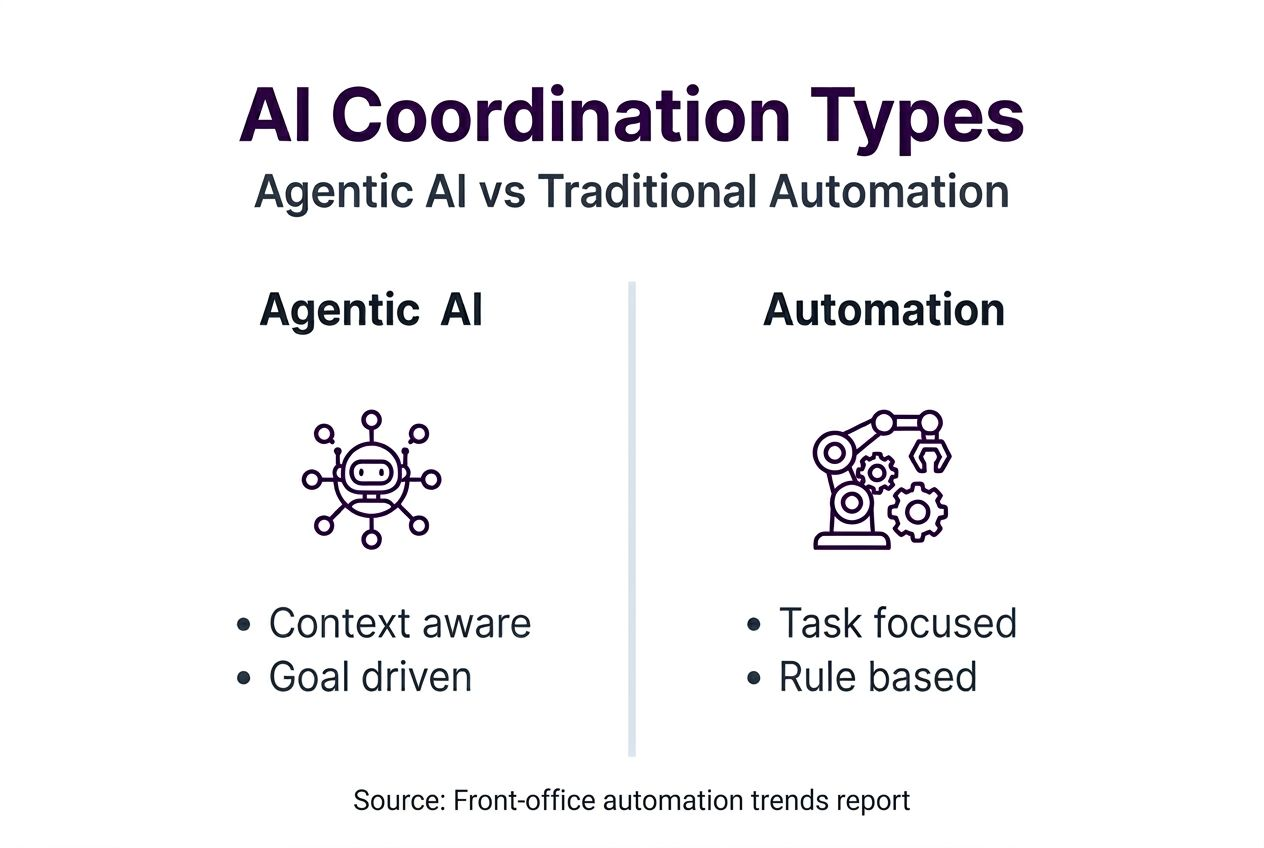
Agentic AI represents a fundamental shift from task-based automation to intelligent systems that reason and act autonomously. Traditional automation executes predefined scripts. When a customer calls, a chatbot follows a decision tree. When an appointment needs scheduling, software checks calendar availability.
Agentic AI operates differently. It understands context, pursues goals, and adapts its approach based on changing conditions. Instead of following rigid if-then rules, it evaluates situations, plans multi-step actions, and executes coordination tasks from start to finish.
Consider appointment scheduling. Traditional automation checks calendar slots and sends confirmation emails. Agentic AI recognizes scheduling conflicts, evaluates customer priority levels, proposes alternative times based on travel logistics, updates multiple calendars, notifies relevant team members, and adjusts downstream tasks automatically. It handles exceptions without human intervention.
Sixty-two percent of organizations surveyed are experimenting with AI agents in front-office coordination. This rapid adoption reflects growing recognition that context-aware systems deliver superior results compared to traditional tools.
Key agentic behaviors include:
- Goal orientation: AI pursues defined outcomes rather than executing isolated tasks
- Context awareness: Systems consider customer history, business rules, and operational constraints
- Multi-step planning: AI sequences actions across systems to achieve coordination goals
- Adaptive execution: Systems adjust approaches when encountering obstacles or exceptions
- Autonomous decision making: AI evaluates options and selects optimal paths without constant supervision
These capabilities enable office operations automation trends that reduce coordination friction significantly. Organizations implementing intelligent automation cut admin overhead while improving accuracy.
The distinction matters for operations managers. Task automation reduces repetitive work but still requires human coordination. Agentic AI manages entire workflows, freeing your team to focus on complex issues requiring judgment and creativity. It enables end to end business automation across front-office functions.
Pro Tip: Start by mapping your current coordination workflows on paper. Identify handoffs between systems and people. These transition points represent prime opportunities for agentic AI to eliminate friction and reduce delays.
Understanding 7 essential types of AI automation helps you recognize where agentic approaches deliver maximum value. The goal isn’t replacing every human task but strategically deploying AI where autonomous coordination creates measurable efficiency gains. Resources for improving business workflows with AI automation provide practical implementation guidance.
Benefits of AI for front-office coordination
Customer satisfaction can increase up to 72% following front-office task automation with AI. That’s not incremental improvement. That’s transformation.
AI receptionists and coordination systems handle 30% higher communication volume without adding staff. They respond instantly to routine inquiries, schedule appointments accurately, and route complex requests to appropriate team members. Your customers get faster service. Your team focuses on high-value interactions.

Manual coordination errors drop dramatically. AI doesn’t forget to follow up, misplace information, or double-book resources. It maintains consistent service quality regardless of workload volume or time of day. This reliability directly impacts customer experience and operational efficiency.
Key benefits include:
- Enhanced response speed: AI handles routine coordination tasks in seconds rather than hours
- Improved accuracy: Automated data entry and cross-system updates eliminate transcription errors
- Consistent service delivery: Every customer interaction follows established protocols without variation
- Scalable operations: Handle volume increases without proportional staff additions
- Reduced coordination overhead: AI manages handoffs between systems and departments automatically
Statistic spotlight: Organizations implementing intelligent automation report 72% reductions in administrative overhead within the first year.
Scheduling accuracy improves when AI coordinates across multiple calendars, considers travel time, respects customer preferences, and accounts for resource availability simultaneously. Human coordinators juggle these factors manually, introducing delays and occasional errors. AI evaluates all constraints instantly.
Document handling becomes seamless. When a customer submits a request form, AI extracts information, validates completeness, routes to appropriate approvers, updates relevant systems, and notifies stakeholders automatically. No documents sit in email queues waiting for manual processing.
Customer communication maintains personalization while scaling efficiently. AI references interaction history, tailors responses to customer context, and escalates complex issues appropriately. Customers receive thoughtful attention without overwhelming your team.
The operational impact extends beyond efficiency metrics. Employees experience less stress when routine coordination tasks run automatically. They spend time solving interesting problems rather than chasing status updates and managing handoffs. Job satisfaction improves alongside productivity.
Agentic AI capabilities for front-office coordination
Contextual awareness separates agentic AI from simple automation tools. These systems understand customer history, recognize patterns, and apply business rules intelligently. When a high-value customer requests an appointment, AI considers their preference history, recent interactions, and strategic account status before proposing options.
Integration with existing business systems enables true coordination. Agentic AI connects CRM platforms, ERP systems, scheduling software, document management tools, and communication channels. It reads data from multiple sources, reconciles information, and updates systems cohesively.
Key technical capabilities include:
- Natural language processing: AI understands customer requests expressed conversationally, reducing repeated queries by 28%
- Cross-system data reconciliation: AI maintains consistency across disconnected platforms automatically
- Exception handling: Systems recognize unusual situations and escalate appropriately
- Adaptive communication: AI tailors message tone and content to customer context and channel
- Multi-step task orchestration: AI sequences complex workflows across departments and systems
Consider customer onboarding. Traditional automation might send welcome emails and create account records. Agentic AI orchestrates the entire process: validates submitted information, checks for duplicate accounts, provisions system access, schedules orientation calls, assigns account managers, generates required documentation, and monitors completion milestones. It adapts the sequence based on customer type and responds to delays or issues autonomously.
Document processing demonstrates contextual reasoning. When invoices arrive, AI doesn’t just extract line items. It validates amounts against purchase orders, flags discrepancies exceeding thresholds, routes approvals based on amount and department, updates accounting systems, and schedules payments according to terms. It understands business rules and applies them consistently.
Scheduling showcases adaptive behavior. If a requested time slot becomes unavailable, AI doesn’t simply report the conflict. It evaluates alternative options considering customer preferences, staff availability, travel logistics, and operational constraints. It proposes solutions proactively rather than waiting for human intervention.
These capabilities enable office operations automation trends that transform coordination from reactive to proactive. AI anticipates needs, prevents problems, and maintains workflow momentum without constant supervision. The result is smoother operations and better customer experiences.
Communication management illustrates multi-channel coordination. AI monitors email, chat, phone systems, and web forms simultaneously. It triages incoming requests, responds to routine questions, escalates complex issues with full context, and ensures nothing falls through cracks. Response quality remains consistent across channels. Understanding improving business workflows with AI automation helps you leverage these capabilities effectively.
Common misconceptions about AI in front-office roles
AI replaces jobs. That’s the fear. The reality is more nuanced. Agentic AI augments human capabilities rather than eliminating positions entirely. It handles routine coordination tasks, freeing employees for work requiring judgment, creativity, and relationship building.
Only 1% of companies report mature AI deployments fully replacing human roles. Most organizations deploy AI to augment staff effectiveness. Front-office employees shift from executing routine tasks to managing exceptions, building customer relationships, and improving processes.
Another misconception suggests AI implementation is simple. Plug in a tool and watch efficiency soar. Wrong. Successful AI deployment requires workflow redesign, system integration, employee training, and ongoing optimization. Organizations underestimating this complexity experience disappointing results.
Common myths include:
- AI works out of the box: Reality requires customization, integration, and workflow redesign for meaningful impact
- Simple automation tools suffice: Task automation lacks the flexibility and intelligence of agentic systems
- AI eliminates human oversight: Systems still need monitoring, exception handling, and continuous improvement
- Implementation is quick: Realistic timelines span months for pilot phases, redesign, and scaling
- AI understands everything: Current systems excel at defined tasks but struggle with truly novel situations
Single-purpose chatbots represent another misunderstanding. A chatbot answering FAQs provides value but doesn’t constitute agentic AI. True agentic systems coordinate across functions, manage multi-step workflows, and adapt to context. They’re fundamentally different tools serving different purposes.
Some managers assume AI removes the need for process improvement. They expect AI to optimize broken workflows automatically. Effective AI amplifies good processes. It exposes flaws in poor ones. Office operations automation trends show organizations achieving best results redesign workflows before deploying AI.
Pro Tip: Frame AI as a team member, not a replacement. When introducing AI to employees, emphasize how it handles repetitive tasks so they can focus on work they find meaningful. Involve staff in identifying automation opportunities. This approach reduces resistance and improves adoption.
Human-AI collaboration maximizes operational gains. AI handles routine coordination while humans manage relationships, solve complex problems, and make strategic decisions. This partnership model proves more effective than attempting full automation. Organizations embracing augmentation achieve better outcomes than those pursuing replacement.
Comparison framework for selecting AI solutions
Choosing the right AI solution requires structured evaluation. Operations managers face numerous vendors promising transformative results. A clear framework separates marketing claims from genuine capabilities.
Evaluate solutions across five critical dimensions:
- Workflow compatibility: Does the AI solution align with your existing front-office processes, or does it require complete process overhaul?
- Integration depth: Can the system connect to your CRM, ERP, scheduling, and communication platforms seamlessly?
- Autonomy level: Does the AI truly operate independently, or does it require constant human supervision and intervention?
- Scalability: Will the solution handle increasing volume and complexity as your organization grows?
- Usability: Can your team configure, monitor, and optimize the system without extensive technical expertise?
The comparison table below illustrates key differences between traditional automation and agentic AI:
| Feature | Traditional Automation | Agentic AI |
|---|---|---|
| Decision making | Follows predefined rules | Evaluates context and adapts |
| Scope | Single tasks | Multi-step workflows |
| Exception handling | Requires human intervention | Manages routine exceptions autonomously |
| Learning capability | Static rules | Improves from experience |
| Integration complexity | Point solutions | Cross-system orchestration |
| Setup time | Days to weeks | Weeks to months |
| Ongoing maintenance | Minimal after setup | Requires monitoring and optimization |
Vendor selection tips for mid-sized companies:
- Start with pilot projects: Test solutions on limited workflows before enterprise-wide deployment
- Prioritize integration: Verify compatibility with your existing technology stack
- Demand transparency: Understand how AI makes decisions and where human oversight remains necessary
- Evaluate support: Ensure vendor provides implementation assistance and ongoing optimization guidance
- Consider total cost: Factor in licensing, integration, training, and maintenance expenses
Traditional automation suits well-defined, high-volume tasks with minimal variation. Agentic AI excels when coordination involves multiple systems, context-dependent decisions, and exception handling. Many organizations deploy both, using traditional automation for simple tasks and agentic AI for complex coordination.
This framework enables systematic decision-making. Rather than choosing based on vendor reputation or price alone, you evaluate solutions against your specific operational needs and constraints. The right AI solution aligns with your workflows, integrates with your systems, and scales with your organization.
Implementation best practices and workflow redesign
Fifty percent of AI high performers cite workflow redesign as critical to AI success in office operations. You can’t simply overlay AI onto existing processes and expect transformation. Effective implementation requires deliberate process optimization.
Follow these proven steps:
- Assess current workflows: Document how front-office coordination actually works today, including informal workarounds and exception handling
- Identify automation opportunities: Pinpoint repetitive, rule-based tasks consuming significant staff time
- Evaluate AI solutions: Use the comparison framework to select tools matching your needs and constraints
- Run focused pilots: Test AI on limited workflows, measuring specific metrics before broader deployment
- Redesign processes: Optimize workflows around AI capabilities, eliminating unnecessary steps and streamlining handoffs
- Train employees: Ensure staff understand how to work alongside AI, when to intervene, and how to escalate issues
- Scale gradually: Expand successful pilots to additional workflows, capturing lessons learned
- Optimize continuously: Monitor performance data, refine AI behavior, and adjust processes based on results
Employee training determines adoption success. Staff need to understand what AI handles autonomously and when human judgment remains essential. They should know how to monitor AI performance, recognize problems, and provide feedback for system improvement.
Change management matters enormously. Introduce AI as a tool empowering employees rather than threatening jobs. Involve front-office staff in identifying automation opportunities. Their practical knowledge reveals friction points leadership might miss. When employees contribute to AI design, they become advocates rather than resistors.
Pro Tip: Establish clear metrics before deploying AI. Measure response times, error rates, customer satisfaction, and staff productivity. Baseline data enables you to quantify improvement and identify areas needing adjustment. Without metrics, you’re flying blind.
Iterative optimization based on performance data separates successful implementations from disappointing ones. AI doesn’t achieve perfect performance immediately. It requires tuning, feedback incorporation, and process refinement. Organizations treating deployment as a project rather than an ongoing program struggle.
Involving IT and end users reduces implementation risks. IT ensures secure AI systems compliance with data protection requirements and integrates AI with existing infrastructure. End users provide feedback on practical usability and identify edge cases AI handles poorly.
Workflow redesign opportunities often emerge during implementation. You might discover entire approval layers became unnecessary or realize information could flow more efficiently. Don’t preserve inefficient processes just because they’re familiar. Use AI deployment as a catalyst for broader operational improvement.
Bridging understanding to practical application
You now understand agentic AI capabilities, benefits, and implementation requirements. The question becomes: what’s your next move?
Recap the essentials: Agentic AI manages multi-step coordination tasks autonomously through context awareness and adaptive reasoning. Organizations report up to 72% improvement in customer satisfaction following front-office automation. Success requires workflow redesign, not just technology deployment. AI augments human capabilities rather than replacing staff entirely.
Common pitfalls to avoid:
- Skipping workflow analysis: Deploying AI without understanding current processes produces suboptimal results
- Underestimating integration complexity: Assume system connections require more time and effort than vendors suggest
- Neglecting change management: Technical success means nothing if employees resist using new tools
- Expecting immediate perfection: AI requires tuning, feedback, and optimization over time
- Ignoring metrics: Without baseline measurements, you can’t quantify improvement or identify problems
Your action plan starts small and scales progressively:
- Map one high-impact workflow: Choose a coordination process causing frequent delays or errors
- Quantify current performance: Measure time, accuracy, and customer satisfaction baseline
- Research three AI solutions: Use the comparison framework to evaluate vendor capabilities
- Engage stakeholders early: Involve IT, front-office staff, and leadership in planning
- Launch a focused pilot: Test AI on limited scope, measure results, gather feedback
- Document lessons learned: Capture what worked, what didn’t, and why
- Refine and expand: Apply insights to additional workflows, building organizational AI capability
Gradual AI adoption reduces risk and builds confidence. Master one workflow before attempting enterprise-wide transformation. Early wins create momentum and demonstrate value to skeptics.
Ongoing employee engagement matters throughout the journey. Regular feedback sessions reveal usability issues and improvement opportunities. Staff working daily with AI notice patterns leadership might miss. Create channels for their input and act on reasonable suggestions.
Continuous training ensures employees grow alongside AI capabilities. As systems become more sophisticated, staff need updated guidance on leveraging new features and managing evolving exceptions. Organizations treating training as one-time events rather than ongoing development struggle with long-term adoption.
The landscape keeps evolving. AI trends for 2026 office operations indicate growing sophistication in autonomous coordination capabilities. Staying informed about future operational AI developments helps you anticipate opportunities and adjust strategy accordingly.
Explore Ailerons IT consulting services
Transforming front-office coordination with agentic AI requires expertise spanning workflow design, system integration, and change management. Ailerons provides specialized AI consulting for mid-sized companies seeking measurable operational improvements.
We design and deploy agentic AI solutions tailored to your specific coordination challenges. Our approach emphasizes workflow redesign alongside technology implementation, ensuring AI delivers genuine business value rather than just technical novelty.
Our services include customized workflow analysis, AI solution evaluation and selection, system integration across your existing platforms, employee training programs, and ongoing optimization support. We’ve helped organizations across industries reduce administrative overhead while improving customer satisfaction through intelligent coordination systems.
Explore our case studies to see how companies like yours achieved measurable results. Ready to discuss your front-office coordination challenges? Visit Ailerons to learn more about our managed IT and AI consulting services. We’ll help you move from understanding agentic AI to implementing solutions that transform your operations.
Frequently asked questions about AI for front-office coordination
Does agentic AI replace human front-office staff?
No, agentic AI augments rather than replaces human employees. Only 1% of companies report AI fully replacing roles. AI handles routine coordination tasks while staff focus on relationship building, complex problem solving, and strategic work requiring human judgment.
How difficult is AI integration with existing systems?
Integration complexity varies by solution and your current technology stack. Modern agentic AI platforms offer pre-built connectors for common CRM, ERP, and scheduling systems. Expect realistic integration timelines of several weeks to months depending on customization needs. Working with experienced implementation partners reduces technical challenges significantly.
What are typical timelines for AI deployment?
Focused pilot projects typically run 6-12 weeks. Full deployment across front-office functions spans 3-6 months, including workflow redesign, integration, training, and optimization. Organizations rushing implementation often experience disappointing results. Gradual scaling after successful pilots produces better outcomes.
Can AI handle exceptions and unique customer requests?
Agentic AI manages routine exceptions through contextual reasoning and decision logic. It recognizes patterns, applies business rules, and resolves common variations autonomously. Truly novel situations still require human judgment. Effective systems escalate appropriately, providing full context to human team members.
What training do employees need to work with AI?
Front-office staff need training on AI capabilities, when to trust autonomous actions versus intervening, how to monitor system performance, and procedures for escalating problems. Training typically requires 4-8 hours initially plus ongoing updates as capabilities evolve. Hands-on practice during pilot phases accelerates learning.
How do we measure AI success in front-office operations?
Establish baseline metrics before deployment, then track improvements in response times, error rates, customer satisfaction scores, and staff productivity. Monitor AI-specific metrics like autonomous task completion rates and exception escalation frequency. Quantitative data combined with employee feedback provides comprehensive success assessment.
Recommended
- Process Automation Tutorial for Agentic AI in Compliance Workflows | Ailerons IT Consulting
- Improving Business Workflows with AI: Achieve Automation | Ailerons IT Consulting
- Intelligent Automation: Empowering Healthcare Operations | Ailerons IT Consulting
- Step-by-Step Guide to AI-Driven Office Automation Success | Ailerons IT Consulting