

Manual office tasks consume nearly half the workday for knowledge workers, draining 4.8 hours daily on coordination and costing the global economy $1.8 trillion annually. Traditional automation falls short because it relies on rigid scripts that can’t adapt to complex, multi-step workflows. Agentic AI changes this by enabling autonomous systems that reason, plan, and execute tasks from start to finish. This tutorial walks you through preparation, execution, and verification phases to implement agentic AI automation in your office operations during 2026, delivering measurable efficiency gains and cost reduction.
Table of Contents
- Understanding The Problem: Why Automate Office Operations With Agentic AI?
- Preparation Phase: What You Need Before Automating Office Workflows With Agentic AI
- Execution Phase: Building And Deploying Agentic AI Automation For Office Operations
- Verification And Scaling: Measuring Success And Overcoming Challenges In Agentic AI Automation
- Discover Expert It Consulting For Your Automation Journey
Key takeaways
| Point | Details |
|---|---|
| Manual coordination costs | Knowledge workers lose 4.8 hours daily to manual tasks, creating massive economic impact |
| Agentic AI autonomy | Unlike passive traditional AI, agentic systems actively plan, learn, and execute multi-step workflows |
| Measurement first approach | Calculate Automation ROI Score using frequency, duration, and risk before selecting tasks |
| Architecture requirements | Success demands orchestration frameworks and integration layers compatible with agentic systems |
| Legacy integration challenge | Over 40% of agentic AI projects fail due to incompatible legacy systems |
Understanding the problem: Why automate office operations with agentic AI?
Your operations team spends valuable hours coordinating schedules, chasing approvals, updating records across platforms, and managing document workflows. This manual coordination doesn’t just waste time. It creates bottlenecks that slow decision-making and inflate operational costs. Knowledge workers spend 4.8 hours daily on coordination, representing nearly 60% of the workday consumed by tasks that could be automated.
Traditional AI tools offer limited help because they operate passively. Chatbots answer questions. Workflow automation executes predefined scripts. But neither can handle the dynamic, multi-step coordination that defines real office work. Traditional AI models are passive, waiting for human input rather than taking initiative.
Agentic AI fundamentally differs by acting autonomously. These systems perceive their environment, set goals, plan sequences of actions, and execute tasks without constant human supervision. An agentic AI system can receive a request to schedule a client meeting, check participant availability across calendars, propose times, send invitations, update the CRM, prepare briefing documents, and set reminders. All without a single manual intervention.
The power comes from four core capabilities working together:
- Planning: Breaking complex goals into executable steps
- Tool use: Accessing APIs, databases, and business systems to gather information and take action
- Memory: Maintaining context across interactions to handle multi-turn workflows
- Action: Executing decisions autonomously while knowing when to escalate to humans
Agentic AI systems enable productivity gains by pursuing goals through this integrated approach. Instead of automating individual tasks, you automate entire workflows. The shift from task automation to workflow orchestration represents the true value proposition.
Consider document approval processes. Traditional automation might route a document to the next approver based on rules. Agentic AI reads the document, identifies required approvers based on content and policy, checks their availability, escalates urgent items, follows up on delays, and updates status across systems. It reasons about the workflow rather than blindly following scripts.
This autonomous capability transforms how mid-sized companies approach operational efficiency. You’re not just speeding up existing processes. You’re fundamentally changing how work gets done, shifting from human coordination to intelligent orchestration. For operations managers and IT leaders exploring office operations automation trends, understanding this distinction between passive tools and active agents is critical. The economic case becomes clear when you calculate hours saved multiplied by fully loaded labor costs.
The question isn’t whether to automate office operations with agentic AI. It’s how to do it effectively, starting with proper preparation and measurement.
Preparation phase: What you need before automating office workflows with agentic AI
Successful automation begins with measurement, not technology deployment. You need baseline data showing exactly how your team currently spends time. Implement time sampling over a two-week period, having team members log time spent on specific task categories hourly. Focus on repetitive coordination tasks like scheduling, data entry, status updates, approval routing, and document preparation.
Measurement before automation is crucial for determining ROI by establishing accurate baseline metrics. Without this data, you’re guessing at impact rather than calculating it. Track both time duration and task frequency to identify automation candidates.
Once you have baseline data, prioritize tasks using an Automation ROI Score. Tasks with high frequency, time consumption, and risk make ideal candidates, scored as Frequency × Minutes × Risk. Risk represents the business impact of errors or delays, rated on a scale of 1 to 10.
Here’s how to calculate priority scores:
- List all repetitive tasks identified during measurement
- Record weekly frequency for each task
- Calculate average minutes per occurrence
- Assign risk score based on business impact of errors or delays
- Multiply frequency × minutes × risk to get Automation ROI Score
- Rank tasks by score and start with highest-scoring candidates
Pro Tip: Start with tasks scoring above 500 on the Automation ROI calculation. These deliver measurable impact quickly while building organizational confidence in agentic AI capabilities.
| Task Example | Weekly Frequency | Avg Minutes | Risk Score | ROI Score |
|---|---|---|---|---|
| Client meeting scheduling | 25 | 15 | 6 | 2,250 |
| Invoice data entry | 40 | 8 | 7 | 2,240 |
| Approval routing | 30 | 10 | 5 | 1,500 |
| Status report compilation | 5 | 45 | 4 | 900 |
| Document filing | 60 | 3 | 2 | 360 |
Architecture readiness determines whether your IT environment can support agentic AI deployment. Agentic AI adoption requires building agent-compatible architectures with orchestration frameworks that coordinate multiple agents, integration layers connecting to business systems, and observability tools monitoring agent behavior.
Evaluate your current architecture across these dimensions:
- API accessibility: Can business systems expose data and actions via APIs?
- Identity management: Do you have centralized authentication supporting service accounts?
- Integration middleware: Is there an orchestration layer or will agents connect directly?
- Security controls: Can you enforce least privilege access and audit agent actions?
- Monitoring infrastructure: Do you have tools to track agent performance and errors?
Tool selection focuses on platforms that integrate with your existing business systems. Microsoft 365 Agents SDK works well for organizations already using Teams, SharePoint, and Dynamics. Specialized agentic AI platforms offer pre-built connectors for common business applications. Evaluate based on integration depth, not feature breadth.
The biggest preparation challenge is legacy system integration. Older ERP, accounting, and line-of-business systems may lack modern APIs or require custom connector development. Budget time and resources for this integration work upfront. Trying to automate workflows that depend on inaccessible legacy data leads to project failure.

For comprehensive guidance on building automation foundations, review this step by step business automation guide and explore strategies for improving business workflows with AI. Preparation determines execution success.
Execution phase: Building and deploying agentic AI automation for office operations
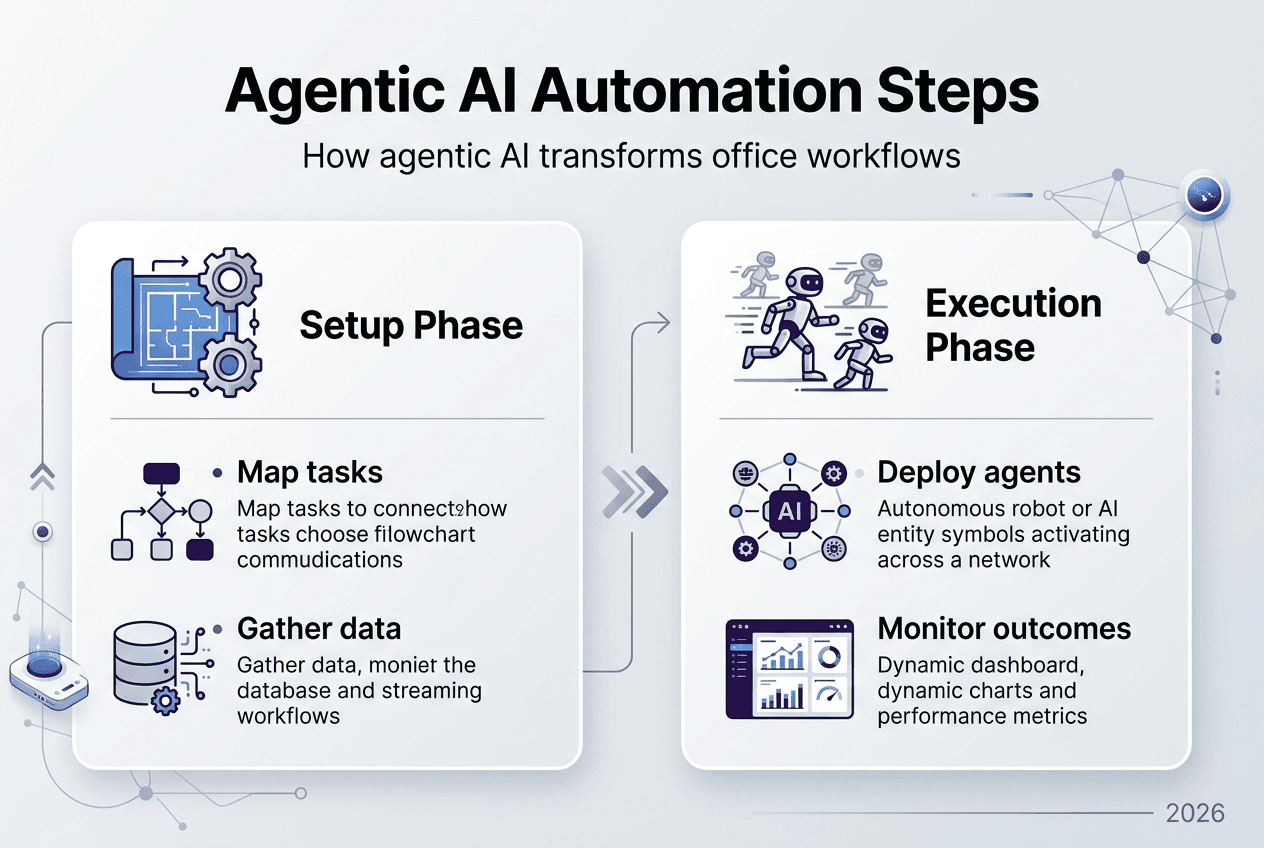
Building effective agentic AI starts with choosing the right development approach. Generic copilots handle broad queries but lack workflow ownership. Focused agents own specific processes end to end, enabling true DevOps lifecycle management. Microsoft 365 Agents SDK provides a framework for building intelligent multi-channel agents that integrate Teams, Copilot, and business systems.
Follow this development sequence:
- Define agent scope: Select one high-ROI workflow from your prioritization analysis
- Map decision logic: Document how the agent should handle variations, exceptions, and edge cases
- Build state management: Implement conversation state tracking so the agent maintains context across interactions
- Create tool integrations: Connect the agent to required business systems via APIs or connectors
- Implement safety controls: Add input validation, output verification, and human escalation triggers
- Test thoroughly: Run the agent through realistic scenarios including error conditions
Focused agents enable ownership of DevOps lifecycle with source control, automated testing, CI/CD pipelines, and observability. Treat agent code like any other software asset, versioning changes and deploying through controlled release processes.
Implement deterministic plugins for critical operations. When an agent needs to update financial records or approve transactions, use explicit API calls with defined inputs and outputs rather than relying on natural language interpretation. This reduces variability and increases reliability.
Security requires enforcing least privilege access at every integration point. Create service accounts with minimal permissions needed for each agent’s specific tasks. Never grant broad admin access. Implement audit logging to track all agent actions for compliance and troubleshooting.
Pro Tip: Build a human-in-the-loop architecture from day one. Configure agents to request approval for high-risk actions, escalate ambiguous situations, and provide clear explanations of their reasoning. This builds trust while mitigating operational risk.
| Development Approach | Ownership Model | Lifecycle Control | Integration Depth | Best For |
|---|---|---|---|---|
| Generic Copilot | Shared platform | Limited customization | Surface level | Broad Q&A, research |
| Focused Agent | Dedicated team | Full DevOps | Deep system access | Workflow automation |
Deploy in phases to manage risk and gather feedback. Start with a pilot group of 5 to 10 users running the agent alongside existing manual processes. Monitor performance daily, collecting both quantitative metrics (time saved, error rates) and qualitative feedback (user satisfaction, edge cases encountered).
After two weeks of stable pilot operation, expand to a broader user group while maintaining monitoring intensity. Look for unexpected behaviors, integration failures, or user confusion. Address issues before they become systemic problems.
Full production deployment should wait until you’ve demonstrated sustained value and stability across at least 30 days. Rushing deployment creates technical debt and erodes organizational confidence. For compliance-focused automation scenarios, review this process automation tutorial covering regulatory considerations.
Scale thoughtfully by adding new workflows incrementally rather than automating everything simultaneously. Each new agent builds on lessons learned from previous deployments, improving your overall automation capability over time.
Verification and scaling: Measuring success and overcoming challenges in agentic AI automation
Verification starts with comparing pre-automation baseline metrics to post-deployment performance. Calculate time savings by multiplying tasks automated per week by average minutes per task. AI workflow implementation reduced operations time by 40 hours weekly in documented case studies, demonstrating measurable impact.
Track these key performance indicators monthly:
- Time saved: Total hours reclaimed from automated tasks
- Cost reduction: Time saved multiplied by fully loaded labor rate
- Error rate: Mistakes made by agent versus human baseline
- User adoption: Percentage of eligible users actively using the agent
- Escalation frequency: How often the agent requires human intervention
Set realistic expectations for adoption curves. Initial time savings may be modest as users learn to work with agents effectively. Productivity gains typically accelerate after the first 60 days as both users and agents optimize their interaction patterns.
Common challenges emerge during scaling. Legacy system integration causes over 40% of agentic AI project failures by 2027, making this the primary technical risk. Older systems lacking modern APIs require custom connector development or middleware layers, adding complexity and maintenance burden.
Unexpected agent behavior represents another frequent issue. Agents may interpret ambiguous instructions incorrectly, make assumptions that don’t match business logic, or handle edge cases poorly. This variability stems from the probabilistic nature of AI decision-making. Agentic AI introduces variability and operational risk, requiring human oversight as an architectural priority rather than an afterthought.
| Challenge | Root Cause | Mitigation Strategy | Business Impact |
|---|---|---|---|
| Legacy system incompatibility | Missing APIs, outdated protocols | Build middleware layer or API gateway | High: blocks automation |
| Unexpected agent decisions | Ambiguous instructions, edge cases | Implement human approval for high-risk actions | Medium: manageable risk |
| Scaling bottlenecks | Infrastructure limits, API rate limits | Load testing, capacity planning | Medium: performance degradation |
| User resistance | Change management gaps | Training, clear value demonstration | Low: adoption delay |
Implement human oversight architecture by defining clear escalation triggers. Configure agents to request approval when confidence scores fall below thresholds, when processing high-value transactions, or when encountering scenarios outside training data. This creates a safety net while allowing autonomous operation for routine cases.
Address scaling bottlenecks proactively through load testing before expanding deployment. Test agent performance under realistic concurrent user loads. Identify API rate limits and implement queuing or throttling to prevent service disruptions. Monitor infrastructure resource utilization to ensure adequate capacity.
Scale only after demonstrating sustained success. Premature expansion amplifies problems rather than multiplying benefits. Wait until your pilot deployment shows stable performance, positive user feedback, and clear ROI over at least 90 days. Then add new workflows or user groups incrementally, applying lessons learned from initial deployment.
For broader context on optimizing business processes with AI, explore this guide on AI business process management. Successful automation requires balancing ambition with disciplined execution, measuring results objectively, and adapting based on real-world performance data.
Discover expert IT consulting for your automation journey
Implementing agentic AI automation requires specialized expertise in architecture design, system integration, and deployment strategy. Ailerons offers comprehensive IT services focused specifically on agentic AI for office operations, helping mid-sized companies navigate the technical and organizational challenges of automation projects. Our team brings proven experience deploying autonomous agents across scheduling, document management, approval workflows, and administrative processes.
Explore detailed case studies showing how organizations achieved measurable efficiency gains through strategic automation implementation. The Orangewood Medical Clinic case study demonstrates practical approaches to legacy system integration and workflow optimization. Whether you’re starting your first automation project or scaling existing deployments, expert guidance accelerates results while reducing implementation risk.
FAQ
What is agentic AI and how does it differ from traditional automation?
Agentic AI autonomously plans, learns, and acts to achieve goals, while traditional automation follows predefined rules and scripts. Traditional systems respond passively to inputs, executing fixed sequences without adaptation. Agentic AI perceives its environment, reasons about situations, and makes decisions dynamically. It handles complex, multi-step workflows by breaking goals into tasks, using tools to gather information, and adjusting plans based on results.
How can I prioritize which office tasks to automate first?
Measure task frequency, duration, and business risk over a two-week baseline period using time sampling. Calculate an Automation ROI Score by multiplying weekly frequency × average minutes × risk score (1 to 10 scale). Focus on tasks scoring above 500, as these deliver measurable impact quickly. High-frequency, time-consuming tasks with significant error consequences make ideal automation candidates.
What are common challenges when deploying agentic AI in office operations?
Legacy system integration causes over 40% of project failures because older applications lack modern APIs required for agent connectivity. Agent variability introduces operational risk since AI decision-making is probabilistic rather than deterministic, requiring human oversight architecture. Scaling bottlenecks emerge from infrastructure limits and API rate constraints. Address these through middleware development, approval workflows for high-risk actions, and thorough capacity planning before expansion.
How do I measure the success of my office automation projects?
Compare pre-automation baseline metrics to post-deployment performance across time saved, cost reduction, error rates, user adoption, and escalation frequency. Track these indicators monthly to identify trends and optimization opportunities. Calculate ROI by multiplying hours saved by fully loaded labor rates. Monitor user feedback qualitatively to understand satisfaction and identify improvement areas. Sustained success requires at least 90 days of stable performance before scaling.
Recommended
- Step-by-Step Guide to AI-Driven Office Automation Success | Ailerons IT Consulting
- Office Operations Automation Trends: Agentic AI Impact | Ailerons IT Consulting
- AI Trends in 2026: Transforming Office Operations | Ailerons IT Consulting
- Top 5 AI Solutions for Office Operations 2026 | Ailerons IT Consulting
- ChatGPT 2026: så fungerar tekniken och hur du använder den