

Wasting hours on manual data entry and disconnected systems can leave your business running in circles. For American operations managers, building a strong digital infrastructure is more than just plugging into the internet. It is the backbone that powers secure data sharing, reliable cloud connectivity, and seamless integrations between the tools your team uses every day. Understanding digital infrastructure for SMBs gives you the foundation to deploy AI-driven automation that cuts errors and amplifies productivity.
Table of Contents
- Defining Digital Infrastructure For SMBs
- Core Components And Variations Explained
- How It Fuels AI-Driven Automation
- Operational Benefits For Small Businesses
- Risks, Challenges, And Implementation Pitfalls
- Comparing Legacy Systems Vs. Modern Solutions
Key Takeaways
| Point | Details |
|---|---|
| Digital Infrastructure is Crucial | A robust digital infrastructure enhances speed, reliability, and customer experience for SMBs, directly impacting operational efficiency. |
| Integration is Key | Seamless connections between tools through APIs are vital for reducing manual work and ensuring data flows smoothly across systems. |
| AI Automation Relies on Solid Infrastructure | Proper digital infrastructure is necessary for successful AI deployment, enabling real-time data access and efficient workflow automation. |
| Invest Wisely | Evaluate infrastructure components carefully, ensuring they solve specific business challenges and integrate well with existing systems before implementation. |
Defining Digital Infrastructure for SMBs
Digital infrastructure for small and mid-sized businesses isn’t just about having internet access or a cloud account. It’s the foundational layer of interconnected systems, tools, and connections that allow your team to operate efficiently, share data securely, and deliver consistent service to customers. Think of it as the plumbing of your business—invisible when it works well, but suddenly obvious when something breaks. For SMBs, digital infrastructure broadly includes internet connectivity, cloud services, data management systems, and increasingly, the integrations that tie your everyday tools together. Without a solid foundation here, even the best business idea struggles.
What makes this topic critical for operations managers is that digital infrastructure directly affects three things that impact your bottom line: speed, reliability, and customer experience. A well-designed infrastructure lets your team respond to customer inquiries faster, reduces errors caused by manual data entry across disconnected systems, and creates consistent outcomes regardless of who’s handling a task. For instance, when your CRM, scheduling system, and accounting platform talk to each other seamlessly, a new lead doesn’t have to be entered three times by three different people. That saved time compounds quickly. SMBs that lack proper infrastructure often find themselves stuck in a cycle of manual workarounds, lost information, and frustrated staff who spend half their day chasing data instead of serving customers.
In the context of modern business automation, digital infrastructure also means the ability to deploy AI agents and workflow automation without constant firefighting. A solid infrastructure includes secure identity verification, trusted data connections between applications, and systems that can exchange information reliably. Digital Public Infrastructure principles like interoperability and accessibility apply directly to SMBs: your tools need to work together, your data needs to flow where it’s needed, and your systems need to be accessible to authorized users and processes—including AI agents that can help reduce manual work. Without these fundamentals in place, any automation effort hits walls immediately.
Pro tip: Start by mapping the tools your team uses daily and how information moves between them. Identify places where data gets re-entered, transferred manually, or sent through email attachments. These friction points are where digital infrastructure improvements create the fastest ROI.
Core Components and Variations Explained
Digital infrastructure isn’t one thing. It’s actually a collection of interconnected pieces that work together, and understanding what each piece does helps you make smarter decisions about where to invest. Core components include physical hardware like cables, towers, and data centers, plus institutional systems like digital identity verification, payment processing, and data sharing platforms. For SMBs, this gets more practical: you’re looking at broadband access, cloud computing services, APIs that connect your tools, and security frameworks that protect sensitive information. These components don’t all look the same or work the same way across different businesses, which is actually good news. It means you can scale and configure them to fit your specific needs instead of forcing your operations into a one-size-fits-all box.
The Physical and Digital Layers
Think of digital infrastructure as having two layers working together. The physical layer includes your internet connection, the servers and data centers where your information lives, and the networking equipment that moves data around. The digital layer includes your software systems, cloud platforms, APIs that let applications talk to each other, and the security systems protecting everything. For most SMBs, the physical layer is handled by your broadband provider and cloud vendors like Microsoft Azure or Google Cloud. You don’t own the data centers, but you do rely on their reliability and speed. The digital layer is where you have more control and where most of your customization happens.
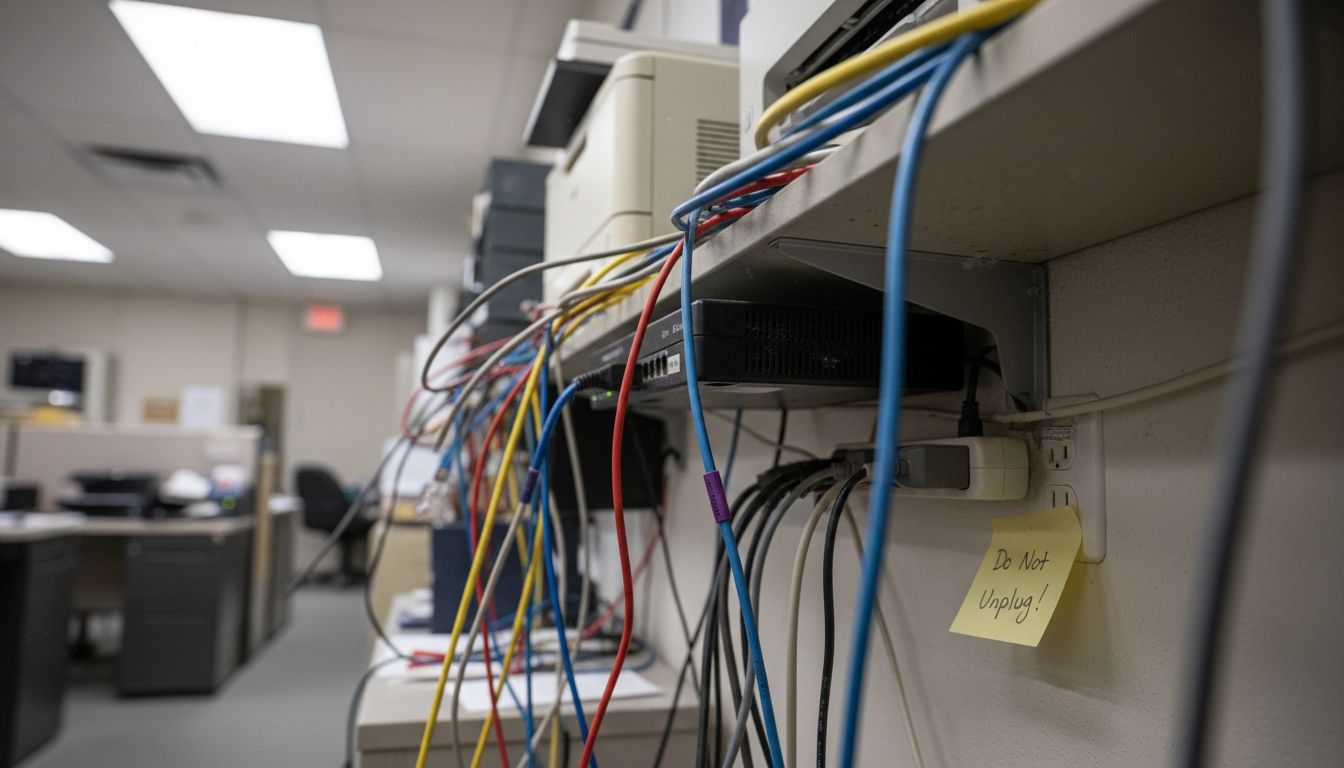
This table outlines the core components of digital infrastructure and their impact on SMB operations:
| Component | Function | Business Impact |
|---|---|---|
| Internet Connectivity | Provides network access | Enables day-to-day online operations |
| Cloud Services | Hosts data and apps remotely | Offers flexibility and remote access |
| Data Management | Organizes and secures information | Improves data accuracy and compliance |
| Integrations (APIs) | Connects software systems | Reduces manual entry and errors |
| Security Frameworks | Protects systems and data | Maintains trust and regulatory standards |
How Variations Fit Your Business
Digital infrastructure components configure differently based on industry type and specific business needs. A dental practice needs appointment scheduling integration and patient data security. A home services company needs mobile access for technicians in the field and real-time job dispatch. An accounting firm needs secure document handling and regulatory compliance tools. These aren’t just different software choices. They’re different infrastructure architectures built around how work actually flows through your business. The flexibility of modern cloud-based infrastructure means you can start lean with essential components like reliable internet and a CRM, then add automation tools, payment gateways, and AI integrations as your operations scale. The key is choosing components that connect to each other through APIs and shared data standards so you’re not stuck with isolated silos.
Pro tip: Document which systems your team touches daily and which ones contain critical business data, then verify they’re all connected through APIs or integrations. A disconnected tool is expensive dead weight that forces manual workarounds.
How It Fuels AI-Driven Automation
Here’s the reality: you can’t build AI automation on a weak foundation. Robust digital infrastructure fuels AI-driven automation by providing the data processing power, connectivity, and cloud platforms that allow your business to actually deploy intelligent agents. Without this foundation, you’re trying to run a high-performance engine on a fuel line from 2010. AI agents need real-time access to your data. They need to read from your CRM, write to your accounting system, pull information from your scheduling platform, and do all of this at scale without waiting around. A fragmented infrastructure where systems don’t talk to each other creates a bottleneck that no amount of AI can fix. You end up with an agent that can answer customer questions but can’t book an appointment because your scheduling system is isolated. That’s not automation. That’s frustration.
The connection between infrastructure and AI success is direct and measurable. When your data flows freely between systems through APIs and integrations, AI agents can complete entire workflows end-to-end without human intervention at every step. Your front desk AI can intake a lead, qualify them, schedule an appointment, send a confirmation, and pass the customer to your sales team. All in minutes. All automatically. This only works if your infrastructure lets data move reliably and securely between those systems. AI-driven automation relies on cloud computing resources, high-speed internet, and data management systems that enable scalable deployment of AI tools. For SMBs, this means investing in infrastructure that doesn’t just support today’s operations but can handle the computational demands of AI running in the background 24/7.
From Infrastructure to Real Business Outcomes
The payoff comes in three forms. First is speed. With proper infrastructure and AI agents, routine tasks that used to take hours happen in minutes. Lead response time drops from next business day to within five minutes. Second is consistency. AI agents follow rules exactly the same way every time, reducing human error and ensuring customers get uniform service regardless of who’s handling their case. Third is scalability without hiring. Your existing team can handle 3 times more volume because repetitive work gets automated. You’re not replacing people. You’re freeing them to focus on decisions and relationships instead of data entry.
Pro tip: Before investing in AI automation tools, audit your current infrastructure for data silos and broken integrations. Fix those first, then layer in AI agents. Trying to automate processes across disconnected systems is like trying to run a relay race where runners can’t hand off the baton.
Operational Benefits for Small Businesses
When your digital infrastructure is solid, the operational benefits compound quickly. Digital infrastructure offers SMBs streamlined payment processing, enhanced online presence, and improved supply chain management, which directly impacts how efficiently you run daily operations. But the benefits go deeper than just moving faster. A well-built infrastructure lets you work from anywhere, keeps your business running even when something breaks, and gives you real visibility into what’s actually happening across your operations. You stop operating on hunches and start operating on data. Your team spends less time hunting for information and more time actually serving customers.
Let’s talk about the concrete wins. First, your response times improve dramatically. When leads come in through your website, they don’t sit in someone’s inbox waiting to be manually entered into three different systems. An AI agent picks them up immediately, qualifies them, and routes them to the right person. Your customer sees a response within minutes instead of tomorrow morning. Second, your costs drop. Not because you’re cutting staff, but because repetitive work happens without human intervention. Data entry happens automatically. Appointment confirmations go out automatically. Follow-up reminders are scheduled automatically. Your team handles 30 percent more work without adding headcount. Third, your consistency improves. Manual processes have inconsistency built in. One person enters a phone number differently than another. One person forgets to send a confirmation email. AI agents follow rules exactly the same way every single time.
How This Translates to Market Advantage
Operational benefits support business agility, faster transaction processing, and access to cloud services that enable SMBs to scale without reinventing their infrastructure. You can launch new services faster. You can adapt to customer demands quicker than competitors without internal chaos. You have better data visibility for making decisions. If a particular product isn’t selling, you see it in real-time instead of finding out during monthly reviews. You can pivot faster. You can personalize your customer experience based on what your data actually tells you instead of guessing. And because your systems talk to each other, bringing on new team members is easier. They inherit documented workflows, not tribal knowledge passed down haphazardly.
Pro tip: Start by measuring one specific operational metric that costs you time or money today. Is it how long customer onboarding takes? How many follow-up calls you need to make? How much time spent on manual data entry? Pick one, measure it for a month, then track how it improves as you strengthen your infrastructure. The numbers become your justification for the next investment.
Risks, Challenges, and Implementation Pitfalls
Building digital infrastructure isn’t all upside. SMBs face multiple risks and challenges when implementing digital infrastructure, such as cybersecurity threats, data privacy concerns, and high initial investment costs. The money part gets attention, but the real danger lurks elsewhere. Most SMBs underestimate how complex it is to actually run the systems once they’re deployed. You can’t just install software and walk away. You need people who understand how everything connects, who can troubleshoot when something breaks, and who can update security patches before hackers exploit vulnerabilities. You need governance. You need processes. And you need to think about what happens when your vendor goes out of business or changes their pricing model.
The integration trap is real. Many SMBs inherit old systems that were never designed to talk to each other. You’ve got accounting software from 1998, a CRM from 2015, and a scheduling system from last year. Getting them to communicate smoothly requires either custom API work or clunky workarounds that create new problems. Legacy systems often lack the security standards needed for modern infrastructure. You can’t just bolt new systems onto broken foundations and expect everything to work. Poor planning around scalability creates another common pitfall. You build infrastructure that works great when you’re small, then discover it can’t handle the load when your business grows. Suddenly you’re ripping things out and starting over, which costs more than getting it right the first time.
Security, Compliance, and Hidden Complexity
Cybersecurity isn’t theoretical for SMBs anymore. One breach can shut down your business. Implementation pitfalls include underestimating maintenance and operational complexity, inadequate security measures leading to vulnerabilities, and misaligned technology adoption that doesn’t match your actual business needs. You might deploy sophisticated infrastructure for problems you don’t have while ignoring the vulnerabilities that matter. Compliance is another hidden cost. If you handle payments, you need to meet payment processing standards. If you store customer data, privacy laws apply. These requirements add expense and complexity that startups often discover too late. The worst pitfall is buying technology because it’s trendy instead of because it solves a specific problem. You end up with tools your team doesn’t know how to use, that don’t integrate with existing systems, and that sit unused while you still manually do the work they were supposed to automate.
Pro tip: Before implementing any new infrastructure component, ask three questions: Does this solve a specific, measurable problem we have today? Can our team actually use and maintain this? Does it integrate with our existing systems or create new silos? If you can’t answer yes to all three, wait or find a different solution.
Comparing Legacy Systems vs. Modern Solutions
Most SMBs don’t wake up one day and decide to rebuild their entire infrastructure from scratch. They inherit it. A 15-year-old accounting system that somehow still works. A CRM that does the job but can’t talk to anything else. A scheduling tool that requires manual data entry before and after every use. These legacy systems carry real costs that don’t show up on a balance sheet. Legacy systems typically suffer from inflexibility, higher maintenance costs, and limited ability to integrate with new technologies, which hampers SMB agility. You’re paying someone to maintain code nobody wants to touch. You can’t add new features without breaking something. You definitely can’t connect it to modern tools like AI agents or advanced analytics without expensive custom work. The worst part is the opportunity cost. While you’re managing your legacy system, competitors with modern infrastructure are automating, scaling, and responding to customers faster.
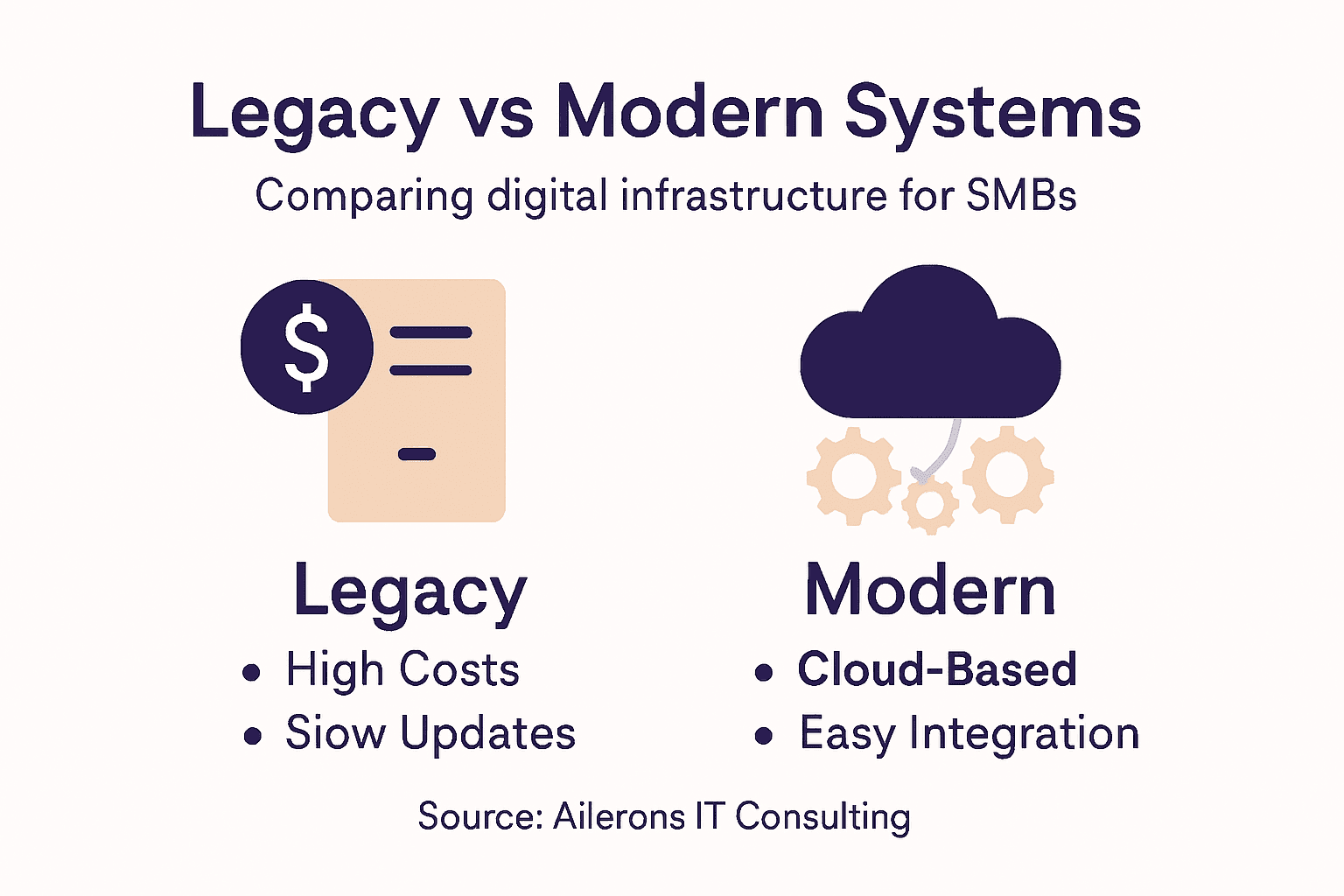
Modern solutions flip this equation. Cloud-based platforms like Microsoft 365, Google Workspace, or industry-specific SaaS tools charge predictable monthly fees instead of requiring massive upfront investment. They scale automatically. If you get 100 times more customers tomorrow, your infrastructure handles it. They integrate through APIs by design. Your CRM talks to your accounting system talks to your scheduling system talks to your email platform without custom development. They get updated automatically with new features and security patches you don’t have to manage. Most importantly, they support the tools you actually need to compete today. You can layer in AI agents, advanced reporting, workflow automation, and data analytics without rebuilding your foundation. Modern digital infrastructure solutions prioritize automation, interoperability, and sustainability, giving SMBs agility in a digital economy.
Here is a summary of key differences between legacy systems and modern digital infrastructure solutions for SMBs:
| Aspect | Legacy Systems | Modern Solutions |
|---|---|---|
| Maintenance | High ongoing costs, manual effort | Automatic updates, minimal manual work |
| Integration | Limited connectivity, siloed data | Seamless API connections, interoperable |
| Scalability | Difficult and costly to expand | Effortless scaling with business growth |
| Security | Outdated safeguards, high risk | Regular patches, strong compliance |
| Total Cost | Increases over time, hidden expenses | Predictable monthly fees, lower TCO |
The Real Cost Comparison
Here’s the truth that catches people off guard: upgrading isn’t more expensive than staying stuck. You’re currently paying for legacy maintenance, workarounds, and lost productivity from manual processes. Add those together quietly. Now compare that to monthly SaaS costs plus migration time. Most SMBs discover that the total cost of ownership drops within the first year after migration. You’re not spending more. You’re spending differently, and getting actual results instead of technical debt. The transition does require planning and sometimes short-term pain. Data migration takes effort. Staff needs training. But the alternative is slow erosion of your competitive position while your infrastructure costs rise and your capabilities stay frozen.
Pro tip: Don’t try to migrate everything at once. Pick your highest-pain legacy system first. Get it onto a modern platform. Let your team stabilize. Then move the next one. A phased approach costs less in disruption and gives you early wins to fund the rest of the migration.
Strengthen Your SMB’s Digital Infrastructure with AI-Powered Automation
The challenges outlined in “Why Digital Infrastructure Matters for SMBs” highlight how crucial it is to build a reliable, integrated foundation that supports speed, consistency, and scalability. Many SMBs struggle with disconnected tools, manual workarounds, and infrastructure that cannot handle modern automation needs. If your business faces these pain points like data silos, slow response times, or fragmented systems, you are not alone. The article’s emphasis on interoperability, secure data flows, and API-driven integration resonates deeply with operational automation that actually delivers measurable results.
Ailerons IT Consulting specializes in translating these core digital infrastructure components into real-world agentic AI workflows that reduce manual labor and improve customer experience. We connect your Microsoft 365, Google Workspace, CRM, scheduling, and accounting platforms with AI agents designed to handle multi-step tasks reliably and securely. Our approach focuses on building AI automation that works in your unique environment—helping you avoid the costly pitfalls of legacy systems or siloed solutions. Discover how to bridge your existing tools and unlock faster lead response times, fewer missed opportunities, and smoother internal handoffs by exploring our comprehensive IT Solutions.
Take control of your digital infrastructure today with AI-powered operations that scale with your business. Visit Ailerons IT Consulting now to start mapping your workflows, connecting your critical systems, and deploying AI agents that make your business more competitive. Don’t wait to build a foundation that supports not just today’s demands but tomorrow’s growth.
Frequently Asked Questions
What is digital infrastructure for small and mid-sized businesses (SMBs)?
Digital infrastructure for SMBs refers to the interconnected systems, tools, and connections, like internet connectivity, cloud services, and data management systems, that facilitate efficient operations, secure data sharing, and consistent customer service.
Why is digital infrastructure important for the customer experience?
A well-designed digital infrastructure enables faster response times, reduces errors in data handling, and ensures a uniform experience for customers, ultimately enhancing their satisfaction and loyalty.
How does digital infrastructure support AI-driven automation in SMBs?
Digital infrastructure provides the necessary data processing power and reliable connections that allow AI agents to operate effectively, facilitating tasks like lead intake, appointment scheduling, and follow-up communications without manual intervention.
What are the risks of inadequate digital infrastructure for SMBs?
Inadequate digital infrastructure can lead to cybersecurity vulnerabilities, inefficient operations due to system silos, increased costs from manual processes, and challenges in scaling as the business grows.