

TL;DR:
- Modern AI enables intelligent orchestration of complex workflows, not just task mechanization.
- AI adds classification, dynamic routing, and anomaly detection for flexible, context-aware automation.
- Effective implementation involves phased deployment, human oversight, and continuous monitoring for optimal ROI.
Most business leaders assume workflow automation means replacing repetitive tasks with software scripts. That assumption stops organizations from realizing the full potential of modern AI systems. AI-driven workflow automation integrates AI for intelligent routing, classification, anomaly detection, and active decision-making across complex business processes. The reality is far more capable and far more strategic than simple mechanization. This guide cuts through the confusion, defines what workflow automation actually means today, and gives mid-sized company leaders a clear, practical framework for using AI to drive real operational results.
Table of Contents
- Understanding workflow automation: Beyond mechanization
- How AI enables intelligent workflow automation
- Business impact: Measurable efficiency and ROI benchmarks
- Best practices for implementing AI workflow automation
- Our perspective: Why nuance and oversight are the secrets to automation ROI
- Take the next step with AI-driven workflow automation
- Frequently asked questions
Key Takeaways
| Point | Details |
|---|---|
| Not just routine tasks | AI-driven workflow automation orchestrates complex, end-to-end business processes with intelligence. |
| Major efficiency gains | Mid-sized companies achieve 20-80% higher productivity and strong ROI by automating at scale. |
| Human oversight matters | Quality and trust remain highest when humans review nuanced, high-impact decisions in automated workflows. |
| Phased, strategic rollout | Best results come from implementing automation in phases, starting with routine processes and adding oversight. |
Understanding workflow automation: Beyond mechanization
Workflow automation, at its core, refers to processes where tasks, information, and documents move between people and systems automatically, following defined logic and rules. A basic example: a customer submits a support request, the system logs it, assigns it to the right agent, sends a confirmation email, and escalates it if unresolved within 24 hours. No human manually triggers each step.
That’s the foundation. But the common misconception is that this is where automation ends.
Mechanization describes the automation of routine, repetitive tasks. Think data entry, file naming, invoice scanning, or sending templated emails. These tasks follow rigid, predictable patterns. Mechanization works well for them. It removes manual labor from structured, low-variation work.
Orchestration is fundamentally different. It describes the coordination of complex, multi-step business processes that involve multiple people, systems, conditions, and exceptions. Orchestration requires the automation layer to understand context, make decisions, and adapt when conditions change. As research distinguishes, the gap between mechanization and orchestration is where most automation projects either succeed or fail.
Here’s what orchestration looks like in practice within a mid-sized financial services firm:
- A client onboarding request arrives via email
- AI classifies the request type and extracts key data fields
- The system cross-references existing CRM records and flags discrepancies
- Compliance checks run automatically against regulatory requirements
- A human reviewer is notified only if a confidence threshold is not met
- Approval triggers account setup across three separate platforms simultaneously
- A completion report is generated and filed in the document management system
That entire chain runs with minimal human involvement, yet the intelligence embedded in each step is significant. It is not a script. It is a system that reasons.
This is where AI changes the game entirely. Context-aware automation, when properly designed, can handle variation, learn from edge cases, and maintain compliance standards throughout. You can explore the principles behind this in our AI business workflow guide and see how context-aware automation applies to real office environments.
Automation that only handles predictable tasks will eventually hit a ceiling. The organizations scaling efficiently in 2026 are the ones that have moved from mechanizing individual steps to orchestrating entire operational processes with AI at the center.
The distinction matters because it shapes how you plan, invest, and measure success. Treating workflow automation as a task-replacement tool limits your return significantly. Treating it as an orchestration capability opens up a different level of operational leverage entirely.
How AI enables intelligent workflow automation
Having defined the landscape, let’s look specifically at how AI elevates workflow automation to intelligent orchestration.
Traditional automation uses rules. If condition A is true, do action B. That works well when inputs are consistent and predictable. But most business workflows involve variability. Documents arrive in different formats. Customer requests span a range of complexity. Approval decisions depend on context that shifts from case to case.
AI handles that variability by adding three critical capabilities: classification, dynamic routing, and anomaly detection.
Classification means AI reads incoming information, whether an email, a document, or a form submission, and determines what type of content it is, what intent it carries, and where it should go next. A billing query gets routed differently than a contract dispute, even if both arrive in the same inbox.
Dynamic routing means the system doesn’t follow a single fixed path. It evaluates conditions in real time and directs work to the right system, team, or process step based on what the data actually says. This eliminates the bottlenecks that rigid rule-based systems create.
Anomaly detection means AI flags outliers before they become problems. An invoice amount that deviates significantly from a vendor’s historical average, a contract clause that doesn’t match the approved template, a scheduling conflict that creates a compliance risk. These are flagged automatically, not discovered manually after the fact.

The table below shows how AI and humans interact across a typical contract review workflow:
| Workflow step | Who handles it | How AI contributes |
|---|---|---|
| Document intake and classification | AI | Reads format, extracts metadata, assigns category |
| Clause extraction and comparison | AI | Compares against approved templates |
| Risk flagging | AI + Human | AI flags issues; human reviews flagged clauses |
| Approval routing | AI | Routes to correct approver based on contract value |
| Final sign-off | Human | Reviews AI summary and approves |
| Archiving and record update | AI | Files document, updates CRM and ERP records |
This blended model is described as deterministic plus probabilistic automation. Deterministic rules handle the predictable steps. Probabilistic AI handles the steps that require judgment. Confidence thresholds determine when AI proceeds independently and when a human is pulled in for review.
That threshold logic is critical. When AI confidence is high, work moves forward automatically. When confidence falls below the threshold, a human gets a clear, structured notification with the relevant context. This is not a weakness in the system. It is a quality control mechanism built into the design.
For a closer look at how this decision logic operates in practice, see our breakdown of AI decision logic workflows and the step-by-step approach outlined in our AI office automation steps guide.
Pro Tip: When designing AI-driven workflows, set confidence thresholds conservatively at first. Start with a lower threshold that triggers human review more frequently, then gradually increase automation as you build confidence in the model’s accuracy on your specific data.
Business impact: Measurable efficiency and ROI benchmarks
Understanding how these technologies operate is critical, but what results can you expect in practice? Let’s look at the ROI data and real business examples.
The numbers available from empirical research on mid-sized organizations are compelling. Published benchmarks show that AI-driven workflow automation produces:
- 10 to 17% faster issue resolution, translating to an average of 4.3 days saved per issue in service-related workflows
- 70 to 90% reduction in processing time and associated costs for document-heavy operations
- 20 to 80% productivity gains depending on the process type and degree of automation
- ROI ranging from 200% to 3,000% with payback periods as short as 19 days and typically within 12 months
These figures are not theoretical projections. They reflect measured outcomes across documented deployments. The range is wide because results depend heavily on process complexity, data quality, and how thoughtfully the system is designed and monitored.
The comparison below shows what mid-sized companies typically see when moving from traditional automation to AI-driven workflow automation:
| Metric | Traditional automation | AI-driven automation |
|---|---|---|
| Processing time reduction | 30 to 40% | 70 to 90% |
| Error rate | Moderate (rule exceptions unhandled) | Low (anomaly detection active) |
| Scalability | Limited by rule complexity | High, adapts to new conditions |
| Human involvement | Frequent manual intervention | Targeted at high-judgment steps only |
| Setup time | Faster, but limited scope | Longer initial build, higher long-term ROI |
| Payback period | 18 to 36 months | 19 days to 12 months |
A concrete example: A mid-sized professional services firm handling client billing manually might process 400 invoices per month, with an average handling time of 12 minutes per invoice. That’s 80 hours of staff time monthly. With AI-driven invoice processing, classification, matching, and routing happen automatically. Human review is triggered only for exceptions, roughly 8 to 12% of cases. That same 400-invoice volume drops to under 15 hours of human time. The downstream cost impact is significant, and that’s a single workflow.
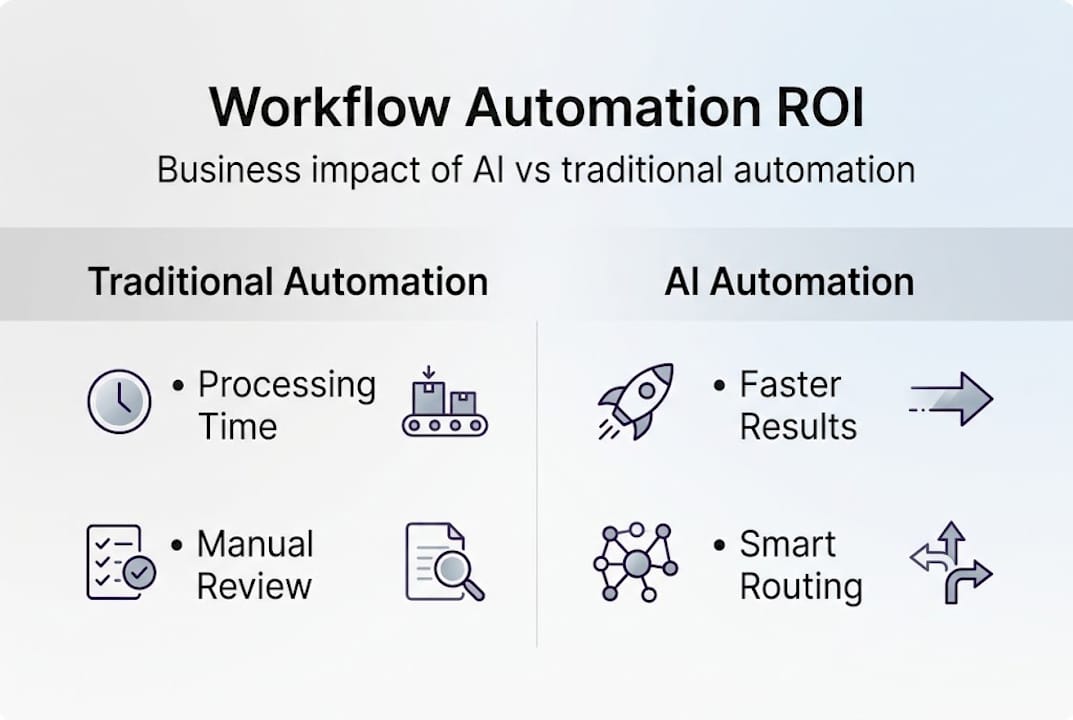
Research from MIT Sloan confirms that mid-sized firms can achieve 30 to 75% efficiency gains without headcount growth, provided human oversight is maintained for quality-sensitive steps. The critical point there is “without headcount growth.” This is what makes AI-driven workflow automation a strategic lever for scaling operations rather than just a cost-cutting tool.
Knowing where to invest matters. If you’re evaluating whether your current setup is limiting your returns, our analysis on why organizations should upgrade automation for ROI is a practical starting point. You can also review the documented AI-driven efficiency gains across different operational areas.
Best practices for implementing AI workflow automation
Benchmarking the impact is essential, but execution determines results. Here’s how to get it right, step by step.
Most automation projects underperform not because the technology fails, but because implementation decisions are rushed or poorly sequenced. Expert guidance consistently identifies phased implementation, robust monitoring, and deliberate human oversight as the key factors separating successful deployments from costly missteps.
Follow this sequence:
-
Identify and prioritize routine, high-volume processes first. Start with workflows that are well-documented, high in volume, and low in judgment complexity. Invoice processing, appointment scheduling, data entry, and document routing are strong candidates. These build early wins and generate data for the next phase.
-
Map every exception scenario before automating. The failure point in most automation projects is the edge case. Before you automate any workflow, document every exception that currently requires human judgment. These will become your confidence threshold triggers.
-
Implement human-in-the-loop checkpoints from day one. Do not try to remove human review immediately. Build the system with clear escalation points, then track how often humans override or correct AI decisions. This data directly informs threshold tuning and model improvement.
-
Integrate with existing business systems systematically. AI-driven workflow automation only delivers full value when it connects to your CRM, ERP, document management platform, and accounting system. Prioritize integrations that eliminate manual data transfer between systems, since that’s where errors accumulate.
-
Establish monitoring and drift detection protocols. AI models can degrade over time as your data patterns shift. Set up regular performance reviews, and use automated alerts when accuracy metrics fall below defined thresholds. This is not optional. Model drift is a real operational risk.
-
Expand to complex orchestrations after validating the baseline. Once routine workflows are stable and ROI is confirmed, move to multi-system orchestration. This is where the larger efficiency gains live, but they require a solid foundation.
-
Avoid automating high-judgment or sensitive decision areas fully. Processes involving legal risk, personnel decisions, or complex regulatory interpretation should retain meaningful human involvement. The goal is not to eliminate human judgment but to apply it where it matters most.
Pro Tip: Use your first 90 days of deployment as a calibration period. Track every instance where AI flags a case for human review. If the human reviewer consistently agrees with the AI’s assessment, your threshold is set too conservatively. If they frequently find errors the AI missed, lower the threshold and retrain.
The AI automation checklist provides a structured review of each phase. For specific process types, the guide on AI tasks to automate helps prioritize where to start, and the compliance automation process walks through regulatory considerations in detail.
Our perspective: Why nuance and oversight are the secrets to automation ROI
Understanding best practices is important, but what separates top-performing companies from automation failures?
The organizations that extract the highest ROI from AI-driven workflow automation are not the ones that automate the most. They are the ones that automate the right things with the right level of human involvement. That distinction is harder to maintain than it sounds, especially when initial results create pressure to push automation further and faster.
We’ve seen businesses automate approval chains for contract exceptions, remove human review from compliance-sensitive document steps, and accelerate onboarding workflows past the point where errors can be caught before they reach clients. In each case, the short-term efficiency metric looked good. The downstream cost of fixing errors, managing client issues, or addressing compliance gaps erased those gains.
The lessons from real workflow deployments point consistently to the same conclusion. Human-in-the-loop is not a limitation to be optimized away. It is a structural feature that protects the reliability of the system, builds internal trust in the automation layer, and creates the data trail needed to improve AI performance over time. The organizations that understand this build more durable, scalable automation programs than those chasing full autonomy too early.
Take the next step with AI-driven workflow automation
If you’re ready to bring advanced workflow automation into your organization, here’s how to get started.
The efficiency gains described in this article are achievable. But realizing them requires deliberate design, the right technology architecture, and implementation experience that accounts for your specific systems and operational context. Generic tools and one-size-fits-all platforms rarely deliver the outcomes mid-sized businesses need.
Ailerons.ai specializes in designing and deploying agentic AI systems that function as intelligent operational collaborators, not just automation scripts. From front-office coordination and document management to billing, compliance, and CRM integration, our implementations are built around your actual workflows and business objectives. Contact us to discuss your automation priorities and get a clear picture of the ROI your organization can realistically achieve.
Frequently asked questions
What is the main difference between workflow automation and RPA?
Workflow automation coordinates entire processes using logic, AI, and system integrations, while robotic process automation (RPA) focuses on automating individual tasks, typically within a single application, without broader orchestration.
How does human-in-the-loop work in AI workflow automation?
AI handles routine decisions automatically and flags ambiguous or high-stakes cases for human review when confidence thresholds are not met, as confirmed by MIT Sloan research. This keeps quality and compliance intact without requiring humans to review every transaction.
What tangible ROI can mid-sized companies expect from AI-driven workflow automation?
Mid-sized firms can achieve a 70 to 90% reduction in processing costs, 20 to 80% productivity gains, and payback periods ranging from 19 days to 12 months depending on process type and implementation quality.
What’s a common mistake companies make when automating workflows with AI?
Fully automating high-judgment processes without human checkpoints is a widely documented risk. As expert analysis confirms, over-automation in sensitive or complex decision areas leads to costly errors and reduces organizational trust in the automation system overall.
Recommended
- Agentic AI Workflow Automation in Modern Healthcare | Ailerons IT Consulting
- Process Automation Tutorial for Agentic AI in Compliance Workflows | Ailerons IT Consulting
- Step-by-step workflow automation guide for business leaders | Ailerons IT Consulting
- Improving Business Workflows with AI: Achieve Automation | Ailerons IT Consulting