

Reliable communication between your team, clients, and business tools can make or break productivity for a growing American professional service firm. The backbone of every successful operation is a thoughtful network infrastructure that connects devices, manages secure data flow, and supports essential software. When your systems work together, manual entry shrinks and opportunities for AI-driven automation expand. This overview shows how integrated infrastructure delivers more than uptime—it unlocks real efficiency and supports your firm’s scaling needs.
Table of Contents
- Defining Network Infrastructure For Businesses
- Types Of Network Infrastructure Components
- How Network Infrastructure Supports AI Automation
- Integrating Cloud Tools And Business Applications
- Key Security And Maintenance Considerations
Key Takeaways
| Point | Details |
|---|---|
| Network Infrastructure is Essential | It forms the backbone of operations for businesses, enabling communication and process flow without disruptions. |
| Integration Improves Efficiency | Seamless connections between applications enhance operational efficiency and accuracy, allowing teams to focus on value-added activities. |
| Infrastructure Affects AI Automation | A robust network infrastructure is critical for effective AI deployment, impacting responsiveness and overall system performance. |
| Security and Maintenance are Crucial | Strong security measures and regular maintenance are non-negotiable to protect sensitive information and ensure reliable operations. |
Defining Network Infrastructure for Businesses
Network infrastructure is the foundational system of physical and digital components that enable your organization to communicate, process data, and connect with customers and employees. For small to mid-sized professional service firms, it’s the backbone that keeps operations running. Without it, nothing works. Your email doesn’t send. Your CRM doesn’t sync. Your clients can’t reach you. Physical systems including cables and servers form the tangible foundation, but infrastructure extends far beyond copper wire and routers. It includes the logical systems that manage how information flows, how security protections function, and how your tools talk to each other.
Think of network infrastructure like plumbing in a building. The pipes are only part of the system. You also need valves to control flow, filters to ensure quality, connections that handle the volume, and a plan for where everything goes. Communication infrastructure acts as a crucial backbone for businesses to participate in digital transformation, support connectivity for operations, and enable digital service delivery. In practical terms, this means your infrastructure needs to handle multiple simultaneous tasks. One employee is uploading files to cloud storage. Another is on a video call with a client. A third is processing a payment. Your accounting software is syncing with your CRM. All at the same time. Your network has to manage all of that without slowing down or dropping connections.
For your specific business type, network infrastructure encompasses three interconnected layers:
Here’s a concise summary of the three foundational layers of network infrastructure and their unique business impact:
| Layer | Core Purpose | Business Impact |
|---|---|---|
| Connectivity Layer | Enables device communication and access | Reliable operations, remote work ready |
| Application Layer | Provides business-specific software tools | Streamlines daily workflows |
| Integration Layer | Links data/processes across applications | Reduces manual entry, enables AI |
- Connectivity layer: The physical and wireless connections that allow devices to communicate. This includes broadband quality, Wi-Fi coverage in your office, mobile connectivity for remote staff, and redundancy if your primary connection fails.
- Application layer: The software systems and platforms your team uses daily. Your CRM, email platform, accounting software, scheduling systems, document storage, and any other tools that process business information.
- Integration layer: The connections between your applications that allow data to flow seamlessly. When a lead comes in through your website form, it should automatically populate your CRM. When you schedule an appointment, it should sync with your calendar and notify relevant team members. When an invoice is created, accounting data flows to your financial system.
The integration layer is where most firms miss opportunities. You might have good connectivity and solid individual applications, but if they don’t talk to each other, your team spends hours copying data between systems, entering the same information multiple times, and handling manual touchpoints that create bottlenecks. This is where agentic AI workflows create value. When your infrastructure is designed to enable seamless integration across systems, AI agents can handle multi-step processes end-to-end. An AI receptionist can intake a lead, qualify it against your criteria, schedule a follow-up call, create a CRM record, and send a confirmation message—all without manual intervention. But this only works if your infrastructure allows those systems to communicate.
The challenge most growing firms face is that infrastructure often develops haphazardly. You add tools as you need them. You integrate systems piecemeal. You implement solutions in silos. Over time, you have connectivity that works, applications that work individually, but integrations that don’t. Your IT team spends more time managing workarounds than enabling actual growth. This is especially true for professional service firms managing client relationships, appointments, contracts, and billing. Each system matters individually. Together, they need to form a cohesive ecosystem.
Pro tip: Map your current applications and identify where data currently enters and exits each system manually. These handoff points are your biggest productivity drains and the highest-impact targets for AI-driven automation.
Types of Network Infrastructure Components
Network infrastructure isn’t a single thing. It’s an ecosystem of interconnected pieces, each serving a specific purpose. Understanding what these components are and how they function together helps you see where your firm might have gaps or inefficiencies. Some components are physical hardware you can touch. Others are software systems managing the flow of data. Together, they form the operational backbone that allows your team to work efficiently and allows AI agents to coordinate across your business systems.
Physical networking components like cables and routers form the foundational layer. Your routers direct traffic between networks and determine where data packets go. Switches connect devices within your local network and ensure data reaches the right destination. Network Interface Cards enable individual devices to communicate with your network. Cables, whether copper, fiber optic, or wireless signals, transmit the actual data. These components handle the movement of information at the most basic level. Without them, nothing else matters. But for a professional service firm, hardware alone isn’t enough. You need the logical infrastructure that makes your systems work together.

Key Infrastructure Component Categories
Hardware and Connectivity
- Routers and switches that manage traffic flow
- Network Interface Cards that connect devices to your network
- Cables, Wi-Fi access points, and cellular connectivity
- Internet connection quality and redundancy
- Servers or cloud infrastructure hosting your applications
Application and Software Systems
- Your CRM platform that stores client information
- Email and communication systems
- Accounting and financial software
- Document management and storage systems
- Scheduling and appointment management tools
- Support ticketing systems
- Any custom or industry-specific software your firm uses
Integration and Data Flow Infrastructure
- APIs and middleware that connect applications
- Data synchronization mechanisms
- Workflow automation tools
- Security protocols and access controls
- Backup and disaster recovery systems
- Audit and logging capabilities
For your specific situation as a professional service firm, the integration layer matters most. You might have excellent routers and robust cloud hosting. You might use industry-leading CRM and accounting software. But if your CRM doesn’t sync with your scheduling system, if your accounting software requires manual data entry from your intake forms, if your communication history isn’t captured in a centralized location, your infrastructure is working against you, not for you.
Internet infrastructure collectively provides the communication framework enabling data transmission and routing across systems. This framework includes data centers hosting your cloud applications, internet exchange points managing traffic at scale, and security mechanisms protecting sensitive client information. For a growing firm, the quality of these elements directly affects your operational speed and reliability. When infrastructure is weak or fragmented, your team compensates by working around it. One person manually pulls data from your website form and enters it into the CRM. Another person updates the calendar to reflect a new appointment. A third person sends a follow-up email because the system didn’t do it automatically. These workarounds cost you time, create errors, and prevent you from scaling.
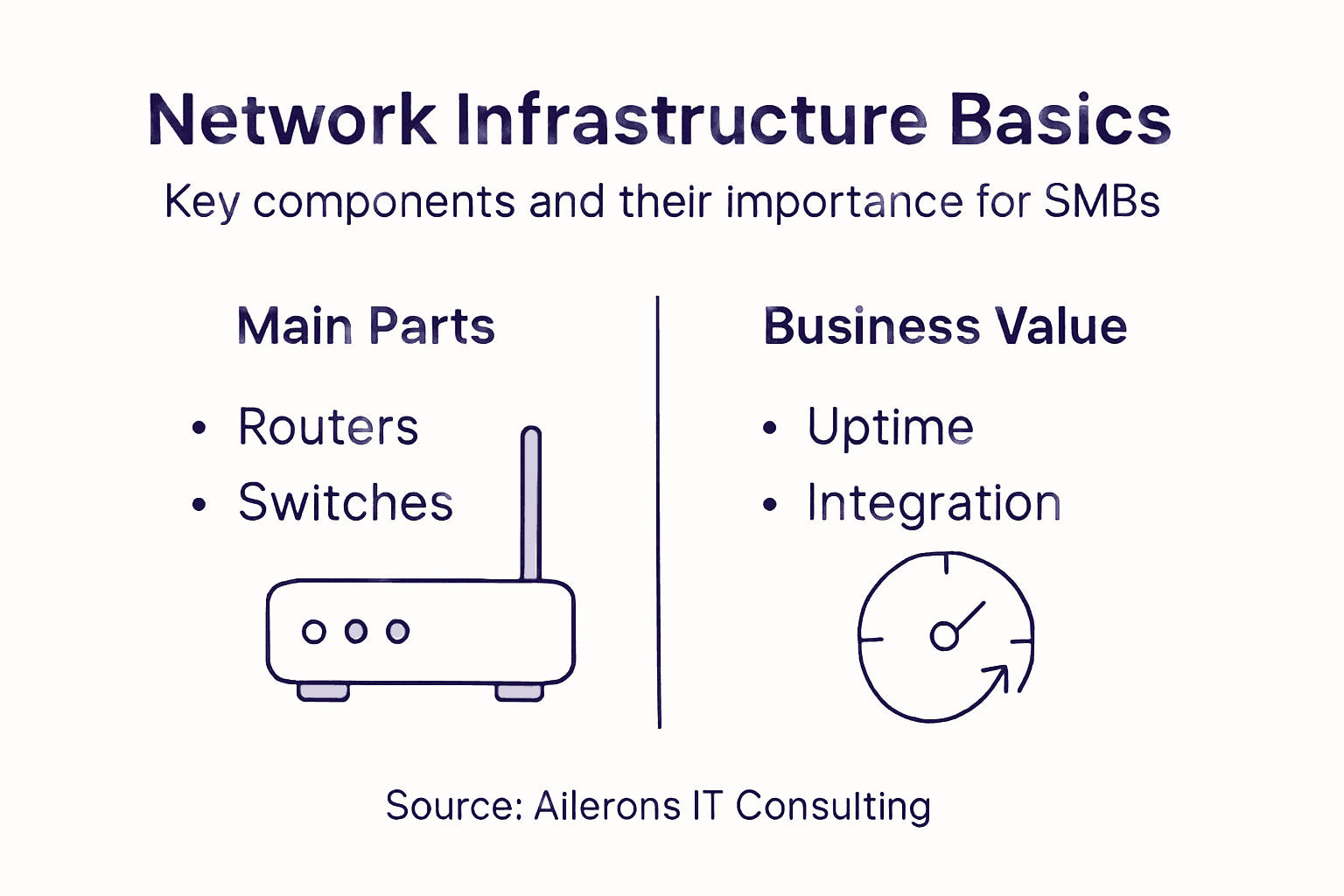
The most important insight for your firm is this: infrastructure isn’t just about keeping things running. It’s about enabling automation and integration. When your infrastructure is designed intentionally to connect your tools and systems, that’s when AI workflows become possible. An AI agent can’t handle a multi-step process if your applications don’t communicate. A human-in-the-loop approval system can’t work if your systems can’t pass information between steps. Front desk AI can’t route leads correctly if your CRM and intake system aren’t connected. Your infrastructure choices either enable or prevent these capabilities.
Pro tip: Audit your current systems and identify where data flows manually between applications. These disconnected handoffs are your highest-opportunity targets for infrastructure improvements that unlock AI automation potential.
How Network Infrastructure Supports AI Automation
AI automation isn’t magic. It requires a solid foundation of infrastructure that can handle the computational demands, coordinate across multiple systems, and operate reliably at scale. For a professional service firm, this relationship is direct and measurable. Your infrastructure quality determines what your AI agents can actually accomplish. Weak infrastructure limits what’s possible. Robust infrastructure unlocks capabilities that can transform how your business operates.
At the most fundamental level, network infrastructure supports AI by enabling computational capacity and data processing at the scale AI requires. Your AI agents need somewhere to run. They need access to your data. They need to process information quickly enough to provide real-time responses to clients and internal team members. If your infrastructure is undersized or unreliable, agents become slow, unreliable, and frustrating rather than helpful. Think about an AI receptionist taking a lead call. The agent needs to access your CRM instantly to check availability. It needs to pull your service pricing in real time. It needs to look up client history if this is a return customer. It needs to coordinate with your calendar system to find open slots. All of this happens in seconds. If any of those systems is slow or disconnected, the entire experience falls apart. Your prospect perceives the AI as broken when actually your infrastructure isn’t supporting the workflow.
For your firm specifically, infrastructure supports AI automation through several critical mechanisms:
Integration and Data Access
AI agents need seamless access to your business data to function. This requires infrastructure that connects your CRM, accounting system, scheduling platform, and any other tools your team uses. Without integration, agents can’t see the full picture. An AI system that can’t access your client history, pricing, or availability can’t make intelligent decisions. It becomes a simple tool rather than an autonomous agent. Your infrastructure must enable data flow between systems in real time so agents can access what they need to complete tasks end-to-end.
Reliability and Consistency
When you automate a process with AI, you’re replacing human decision-making with agent execution. This means failures are more visible and more costly. If a human receptionist misses a call occasionally, it’s frustrating but manageable. If your AI receptionist misses calls because infrastructure is flaky, that’s unacceptable. Your infrastructure must be reliable enough to support consistent automation. This includes redundancy, failover systems, and monitoring so you know when problems occur.
Security and Controlled Access
Deploying AI introduces new cybersecurity considerations for infrastructure management. An AI agent that can access your CRM, create appointments, send communications, and process payments needs to operate within strict security boundaries. It can’t have unlimited access to all your data. It can’t make decisions without appropriate approvals. Your infrastructure must support role-based access controls, audit trails, and human-in-the-loop checkpoints at sensitive steps. If you can’t trace what an agent did and why, you don’t have proper governance. Your infrastructure must enable this control layer.
Performance and Responsiveness
AI automation only creates value if it’s faster than manual processes. Your infrastructure must be designed to minimize latency. When an AI agent needs to retrieve information, make a decision, take an action, and return a result, every millisecond matters. If your API calls to your CRM take five seconds because your infrastructure is congested, your AI becomes slow. Infrastructure performance directly translates to agent performance, which directly translates to business outcomes.
The practical implication is this: you can’t deploy effective AI automation on weak infrastructure. You can have the best AI agent in the world, but if your systems are disconnected, slow, or unreliable, the agent will fail. Conversely, when your infrastructure is designed intentionally to support automation, AI agents become transformative. They handle leads faster. They route tasks accurately. They coordinate across your team without manual handoffs. They reduce errors because they follow defined processes consistently. Your infrastructure isn’t just a cost center keeping things running. It’s a competitive advantage enabling automation that scales your operations without scaling headcount.
Pro tip: Before deploying any AI automation, audit your infrastructure for integration gaps, performance bottlenecks, and security controls that could block agent execution or create governance issues.
Integrating Cloud Tools and Business Applications
Most professional service firms don’t use a single platform for everything. You have a CRM for client relationships. You use accounting software for invoicing and financial tracking. You have a scheduling system for appointments. You might use a separate tool for document management, another for email, another for support tickets. Each tool does its job well in isolation. Together, they create a fragmented landscape where your data lives in silos and your team spends hours moving information between systems.
Integration is the solution. When your cloud tools and business applications communicate seamlessly, your infrastructure stops being a collection of disconnected pieces and becomes a coordinated system. Cloud-based integration services enable businesses to connect disparate applications efficiently, breaking down data silos and allowing information to flow automatically between systems. For your firm, this means a lead comes in through your website form and automatically populates your CRM. An appointment gets scheduled and instantly appears on team calendars. An invoice is created and automatically syncs with your accounting software. A client sends a support request and it becomes a ticket that routes to the right person. No manual data entry. No duplicate information. No miscommunication from version mismatches.
Why Integration Matters for Your Business
Operational Efficiency
Integration eliminates manual handoffs between systems. Your team stops copying data, searching across platforms, and reconciling information. A single action in one system triggers necessary actions in others. This saves time per transaction and scales. If your firm processes fifty new leads weekly, integration saves your team five to ten hours weekly in data entry alone. Over a year, that’s 250 to 500 hours recovered.
Data Accuracy and Consistency
When data lives in one place and flows automatically to where it’s needed, you eliminate transcription errors and version conflicts. Your CRM shows the same client information your accounting system sees. Your calendar reflects accurate appointment details. Your support team sees complete client history. This accuracy matters especially for professional service firms where client information is critical to service delivery and compliance.
Enabling AI Automation
AI agents cannot effectively automate processes if your applications don’t communicate. An AI receptionist that can’t access your real-time calendar can’t schedule appointments accurately. An AI qualification agent that can’t write to your CRM can’t move leads through your pipeline. An AI support agent that can’t access client history can’t provide personalized service. Integration is a prerequisite for meaningful automation. Without it, AI tools become limited helpers rather than true autonomous agents.
Scalability Without Proportional Headcount Growth
Cloud computing enables businesses to enhance digital transformation through scalable, efficient access to infrastructure and applications. When your tools are integrated and your processes are automated, you can handle more volume without proportionally adding staff. You can take on more clients, process more transactions, and deliver more projects with your existing team.
Integration Approaches for Growing Firms
Direct API Connections
Many modern business applications offer APIs allowing direct connections. Your CRM connects to your accounting software through native integrations. Your scheduling system connects to email and calendar platforms. These direct connections are often the most reliable and lowest-latency approach. The tradeoff is that each integration requires specific configuration and often some technical work.
Integration Platform as a Service (iPaaS)
IPaaS solutions provide a middleware layer that connects your applications without requiring custom development. Tools in this category handle data transformation, workflow orchestration, and error handling. They’re especially useful when you have applications that don’t offer direct integrations or when you need complex multi-step workflows involving multiple systems.
Automation Workflows and Zapier-Style Connectors
For simpler connections, automation tools connect applications through predefined triggers and actions. When an event happens in one system, it triggers an action in another. These are less powerful than full integration but faster to implement and don’t require technical expertise.
The table below compares three common integration approaches for business applications:
| Integration Approach | Setup Complexity | Scalability | Ideal Use Case |
|---|---|---|---|
| Direct API Connections | Moderate to high | Good for a few apps | Simple, stable toolset |
| Integration Platform (iPaaS) | Moderate | High, flexible | Multiple systems, changing processes |
| Automation Connectors | Low | Limited | Quick setups, small-scale workflows |
Implementation Reality for Your Firm
Integration isn’t a one-time project. It’s an ongoing practice. Your tech stack will evolve. You’ll add tools. You’ll replace tools. Your business processes will change. Your integration approach needs to adapt. This is why treating integration as a core part of your infrastructure strategy matters more than trying to solve it all at once.
Start with your highest-impact connections. Where do you lose the most time to manual data movement? Where do errors create the biggest problems? Where would automation deliver the fastest ROI? Begin there. Build your integration foundation. Then expand.
Pro tip: Map your current data flow across systems and identify the top three manual handoff points causing the most wasted time or errors, then prioritize integrations at those exact points to unlock the fastest ROI.
Key Security and Maintenance Considerations
Network infrastructure is only as strong as its weakest link. You can have the best applications, the fastest connectivity, and perfect integrations, but if your security is weak or your systems aren’t maintained properly, everything falls apart. For a professional service firm handling client information, contracts, payment data, and sensitive business details, security and maintenance aren’t optional considerations. They’re non-negotiable requirements. A breach doesn’t just mean lost data. It means lost client trust, legal liability, compliance violations, and damage to your reputation that takes years to recover from.
Security and maintenance work together. Security protects your systems from unauthorized access and malicious activity. Maintenance keeps your systems running reliably and patches vulnerabilities before attackers can exploit them. Neither works well without the other. You can deploy firewalls and access controls, but if you’re not applying security patches, attackers will find unpatched vulnerabilities. You can maintain your systems diligently, but if you don’t have proper access controls, insiders can abuse those systems. You need both running continuously.
Security Essentials for Professional Service Firms
Effective network infrastructure security involves protecting systems against unauthorized access through best practices like strong authentication, access controls, and incident response planning. For your firm specifically, this means several concrete practices:
Access Control and Authentication
Not everyone on your team needs access to everything. Your junior staff member doesn’t need access to client contracts or financial records. Your accounting team doesn’t need access to HR files. Your receptionist needs to create CRM records but shouldn’t be able to delete them or modify billing information. Role-based access control limits what each person can do based on their job function. When you implement AI agents, this becomes even more critical. Your AI receptionist agent needs to read your CRM and schedule appointments but absolutely should not be able to access client payment information or delete records. Every system access should require strong authentication. Passwords alone aren’t enough. Multi-factor authentication adds a second layer. Hardware security keys provide even stronger protection for sensitive systems.
Data Encryption
Data in transit needs to be encrypted. When information moves between your client’s browser and your server, it should be encrypted. When your systems communicate with each other through APIs, that communication should be encrypted. Data at rest needs to be encrypted too. Your database storing client information should be encrypted so that even if someone gains physical access to your servers, they can’t read the data.
Audit Trails and Monitoring
You need to know what’s happening in your systems. Who accessed what client record and when? Who created that invoice? Who made changes to that contract? Audit trails provide accountability. If something goes wrong, you can trace exactly what happened and who did it. Monitoring alerts you when suspicious activity occurs. Unusual login patterns. Large data exports. Multiple failed authentication attempts. These signals indicate potential problems.
Backup and Disaster Recovery
Network security includes regular maintenance to address emerging threats and ensure operational continuity. Your backups need to be separate from your primary systems. If ransomware infects your primary data, your backups shouldn’t be infected too. Test your backups regularly to ensure they actually work. Disaster recovery planning means knowing exactly how you’ll recover if something catastrophic happens. How long can your business operate if your systems are down for a day? A week? What’s your recovery timeline for different systems?
Maintenance Practices That Matter
Patch Management
Vulnerabilities are discovered constantly. Software vendors release patches fixing these vulnerabilities. If you don’t apply patches, you’re leaving doors open. Patch management means staying on top of updates from your operating systems, applications, and infrastructure platforms. This includes both critical security patches and regular updates. The challenge is balancing security with stability. Patches sometimes cause problems. You need to test patches before deploying them broadly, but you also need to deploy them reasonably quickly.
Regular Updates and Version Control
Older versions of software accumulate vulnerabilities. Staying current with vendor support timelines means upgrading before products reach end-of-life. This applies to everything from your operating systems to your business applications.
Security Awareness Training
Your team is part of your security infrastructure. Human error is one of the biggest security risks. Employees opening suspicious email attachments. Sharing passwords. Using weak passwords. Falling for phishing attacks. Regular training helps your team recognize threats and follow security practices.
The Governance Layer for AI Automation
When you deploy AI agents, security and maintenance become more complex. Your AI receptionist needs to access certain data to do its job, but you need guardrails preventing it from accessing everything. Your agent needs to create CRM records, but you might want approval for certain actions. Your agent should be able to read pricing but not modify it. Building proper governance means defining exactly what each agent can do, logging every action, and having human oversight at critical steps. This is where human-in-the-loop approval becomes security-critical rather than just a business preference.
Pro tip: Before deploying any AI agent, document exactly what data it accesses, what actions it can take, and what requires human approval. Then implement role-based access controls and audit logging at that exact specification.
Unlock the Full Potential of Your Network Infrastructure with Ailerons AI Automation
If your network infrastructure is holding your business back from seamless integration and AI-powered automation you are not alone. Many SMBs face challenges with disconnected systems manual workflows and unreliable data flows that drain productivity and increase errors. This article highlights how critical the integration layer and robust infrastructure security are for enabling AI agents to perform multi-step tasks efficiently while protecting sensitive information.
At Ailerons IT Consulting we specialize in solving these exact challenges by redesigning your operations with agentic AI that can orchestrate across your existing CRM scheduling accounting and communication platforms. We help transform fragmented applications into a cohesive ecosystem that accelerates lead intake appointment scheduling invoice creation and more — all secured with rigorous AI governance and human-in-the-loop controls. Our approach turns your network infrastructure from a cost center into a competitive advantage.
Ready to stop manual handoffs and unlock AI-driven operational automation that scales without adding headcount Explore how our expertise in Agentic AI Workflows, Integration and Data Flow, and AI Governance Security can deliver measurable time savings and consistent client experiences today. Visit Ailerons now to get started improving your firm’s network infrastructure and automation capabilities.
Frequently Asked Questions
What is network infrastructure?
Network infrastructure refers to the physical and digital systems, including hardware and software components, that allow an organization to communicate, process data, and connect with customers and employees.
Why is network infrastructure important for small and mid-sized businesses (SMBs)?
Network infrastructure is crucial for SMBs as it ensures reliable operations, supports digital transformation, and enables seamless communication and collaboration among employees and clients.
What are the main components of network infrastructure?
The key components of network infrastructure include hardware (like routers, switches, and cables), software systems (such as CRMs and accounting tools), and integration mechanisms (APIs and automation tools) to ensure smooth data flow between applications.
How can network infrastructure support AI automation in a business?
Robust network infrastructure enables AI automation by providing the necessary data access, integration across systems, reliability for consistent performance, and security controls to manage sensitive information effectively.