

Anyone managing daily operations knows that juggling multiple platforms and staying current with technology can feel overwhelming. For many small to mid-sized service businesses, understanding cloud computing is the first step toward smoother processes and better customer engagement. This guide breaks down the core concepts of cloud computing and tackles common misconceptions, so you can make smart decisions when adopting AI automation for your team.
Table of Contents
- Cloud Computing Explained: Core Concepts And Misconceptions
- Types Of Cloud Computing And Service Models
- How Cloud Computing Works For Business Automation
- Integrating Cloud Solutions With Existing Business Systems
- Key Risks, Security, And Compliance For U.S. SMBs
- Costs, ROI, And Common Challenges In Cloud Adoption
Key Takeaways
| Point | Details |
|---|---|
| Understanding Cloud Computing | Cloud computing allows businesses to access computing resources online, offering benefits like scalability and cost-efficiency. Recognizing its true nature helps dispel common misconceptions about automation and security. |
| Deployment and Service Models | Different cloud deployment models (Public, Private, Hybrid, Community, Multi-Cloud) and service models (IaaS, PaaS, SaaS) offer varying levels of control and suitability for business needs. Choosing the right model is critical for operational success. |
| Integration and Automation | Effective cloud automation requires seamless integration with existing systems to avoid data silos and ensure efficient workflows. Always map data flows and access needs before automating processes. |
| Security and Compliance | Prioritize security in your cloud strategy. Understand compliance requirements for your industry and implement role-based access, encryption, and regular audits to safeguard business data. |
Cloud Computing Explained: Core Concepts and Misconceptions
Cloud computing sounds mysterious until you break it down. At its core, it’s simply using computing resources hosted somewhere else and accessing them over the internet. Instead of buying a server for your office, installing software on each team member’s computer, and maintaining everything yourself, you rent what you need from a provider. You pay for usage and scale up or down based on demand.
Cloud systems provide five key characteristics: on-demand self-service (you get what you need when you need it), broad network access (work from anywhere), resource pooling (sharing infrastructure with other users), rapid elasticity (scale instantly), and measured service (you only pay for what you use). These aren’t just buzzwords. They directly impact how your business operates.
Here’s where misconceptions hurt you. Many business owners think the cloud is either a magical place where everything is automatic, or they fear it’s insecure and unreliable. Neither is true. The cloud is simply other people’s computers accessed through the internet. It’s also not a replacement for all your existing systems. Your business still needs processes, security boundaries, and human judgment.
Another common mistake is assuming “the cloud” means one thing. It doesn’t. Infrastructure as a Service (IaaS) gives you raw computing power. Platform as a Service (PaaS) provides tools for building applications. Software as a Service (SaaS) delivers ready-to-use applications like email or CRM software. Knowing the difference matters when you’re deciding what to move and what to keep.
The shared responsibility model is critical and often misunderstood. Your cloud provider secures the infrastructure. You secure your data, access controls, and configurations. When something goes wrong, knowing who’s responsible prevents finger-pointing and actual problems.
For your business, cloud computing means less time managing IT infrastructure and more time on operations that drive revenue. But it requires clear thinking about what you’re moving, why, and how to govern access and data flow across your tools.
Pro tip: Before moving any process to the cloud, map which systems need to connect and what data flows between them. This prevents painful integration problems later and clarifies whether cloud adoption actually solves your real bottleneck.
Types of Cloud Computing and Service Models
Cloud computing breaks down into two separate decisions: how it’s deployed and what services it provides. Understanding this distinction prevents expensive mistakes when you’re choosing tools for your business.
Start with deployment models. Public cloud means a vendor like Amazon or Microsoft owns the infrastructure and you share it with other customers. You get lower costs and faster setup. Private cloud is infrastructure dedicated to your organization only, giving you more control but requiring more management overhead. Hybrid cloud combines both, letting you keep sensitive operations on private infrastructure while using public cloud for less critical workloads. Community cloud serves specific industries or groups with shared needs. Multi-cloud uses multiple vendors at once, which sounds smart until you realize managing integrations across different platforms becomes a nightmare.
Here’s a summary comparing cloud deployment models for businesses:
| Model | Control Level | Typical Use Case | Management Overhead |
|---|---|---|---|
| Public Cloud | Lowest | Rapid setup, scalable workloads | Very low |
| Private Cloud | Highest | Sensitive data, strict compliance needs | High |
| Hybrid Cloud | Mixed (customizable) | Balancing sensitive and regular data | Moderate |
| Community Cloud | Shared (group focus) | Industry/regulatory collaborations | Moderate to high |
| Multi-Cloud | Variable | Avoid vendor lock-in, maximize options | High (complex integrations) |
The three main service models differ in control and responsibility. Infrastructure as a Service (IaaS) gives you raw computing power: servers, storage, networking. You manage everything above the operating system. Platform as a Service (PaaS) abstracts the hardware layer and gives you a development environment. You build and deploy applications without managing servers. Software as a Service (SaaS) is what you know: email, CRM software, scheduling tools. The vendor handles everything. You just log in and use it.
Here’s how the main cloud service models differ in control and business alignment:
| Service Model | What You Control | Best for Business Needs | Vendor Dependency |
|---|---|---|---|
| IaaS | OS, applications, data | Custom, flexible infrastructure | Moderate |
| PaaS | Application code, data | App development without server admin | High |
| SaaS | Minimal (just usage) | Quick deployment, minimal IT support | Very high (feature locks) |
For your operations, this matters directly. SaaS solutions like appointment schedulers or CRM platforms work fast and need minimal IT support. But they lock you into that vendor’s features. PaaS works when you have custom development needs and developers on staff. IaaS costs more in management time but offers maximum flexibility.
Another layer is serverless computing, an emerging execution model where you write code but never think about the servers running it. The cloud vendor scales and manages everything automatically. For small teams, this reduces infrastructure headaches significantly.
The real choice isn’t which model is “best.” It’s which model matches your current team, budget, and technical depth. Many successful small businesses run entirely on SaaS applications because the simplicity outweighs the feature trade-offs.
Pro tip: Map your critical workflows against each service model and identify which ones require custom development versus off-the-shelf solutions; this prevents over-engineering simple processes and under-resourcing complex ones.
How Cloud Computing Works for Business Automation
Cloud computing is the backbone of business automation. It provides the infrastructure and connectivity that lets different tools talk to each other and automate workflows without constant manual intervention.
Here’s the mechanics. Your business uses multiple applications: a CRM to track customers, a scheduling system for appointments, accounting software for invoices, and email for communication. Normally these systems sit isolated. Cloud platforms connect them. Business process automation uses cloud technologies to streamline repetitive tasks by integrating applications and data so workflows run automatically. When a customer books an appointment in your scheduling system, the cloud automation can automatically create a CRM record, send a confirmation email, and trigger an invoice. No manual data entry. No forgotten steps.

The real power comes when you add artificial intelligence. AI running in the cloud can read incoming customer messages, understand intent, qualify leads, and route requests to the right person. It can pull information from multiple systems to answer questions without human involvement. It learns from what works and adjusts responses accordingly.
AI combined with cloud computing enables intelligent resource management and automated scaling, meaning your automation adapts to demand automatically. During busy seasons, the system handles higher volume. During slow periods, costs drop. You only pay for what you actually use.
For your business specifically, this means lead intake no longer requires a person answering phones. A cloud-based AI receptionist answers calls, qualifies leads, books appointments, and collects information. That data flows directly into your CRM and scheduling system. Your team gets clean, pre-qualified leads instead of scattered inquiries.
The security model matters too. Your cloud provider manages infrastructure security. You control access, data boundaries, and approvals through dashboards. Sensitive financial data stays in your accounting system. Customer information follows role-based rules. Everything gets logged, so you know exactly what happened when.
The speed benefit is massive. A workflow that takes a human 15 minutes per customer now happens in seconds. That’s not just time savings. It’s faster customer response, fewer mistakes, and better experience.
Pro tip: Start automation with your highest-volume, most repetitive workflow first; measure time saved and error reduction before expanding to other processes, so you build confidence with concrete ROI.
Integrating Cloud Solutions with Existing Business Systems
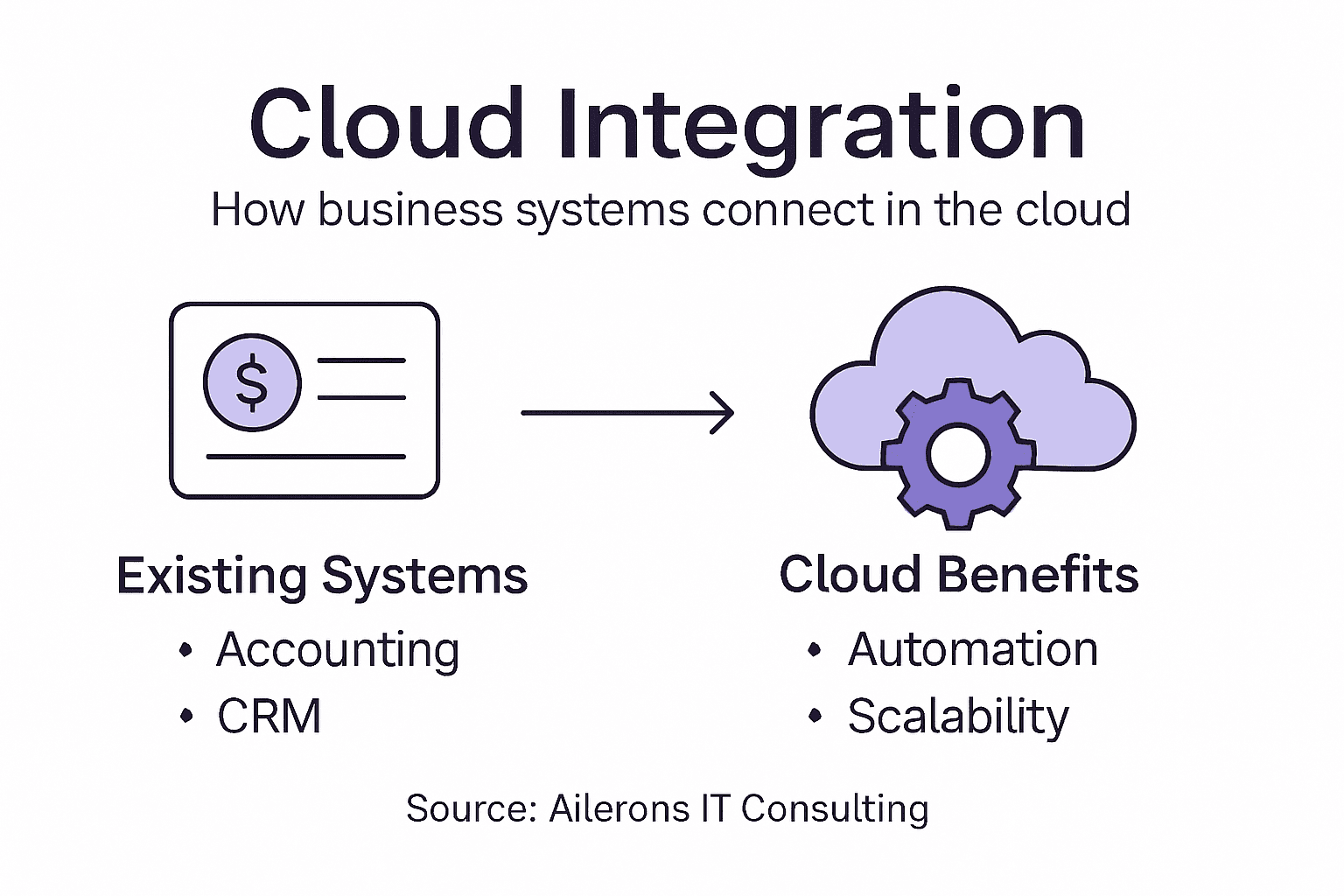
Most businesses don’t start from scratch. You have systems already running: accounting software that’s been tracking your finances for years, a CRM with customer history, maybe legacy tools that do one specific job really well. Adding cloud automation means these systems need to work together, not fight each other.
Integration is the critical piece. Your cloud-based AI receptionist captures lead information, but that data needs to flow into your CRM without manual entry. Your scheduling system books an appointment, and your accounting software automatically creates an invoice. Successful integration uses standardized frameworks to facilitate seamless data exchange between on-premises and cloud environments, avoiding situations where data gets stuck or duplicated.
The challenge is this: every system speaks a different language. Your accounting software uses one format for customer names and phone numbers. Your CRM uses another. Your scheduling tool uses a third. Without translation layers, the systems can’t understand each other. Cloud integration platforms act as translators, converting data from one format to another and routing it to the right destination.
Architecting cloud solutions for integration requires balancing technical requirements, security, scalability, and cost optimization. You have choices. You can move applications entirely to the cloud. You can keep legacy systems on-premises and connect them through APIs. You can build new cloud-native applications that work alongside existing tools. The best approach depends on your systems, your budget, and your technical team.
Vendor lock-in is a real risk. If you pick a cloud platform that only integrates with certain tools, you lose flexibility later. Ask vendors upfront about open standards and what other systems they can connect to. You want integration frameworks that work with multiple platforms, not proprietary solutions that trap you.
Data security during integration matters enormously. When information moves between systems, it needs encryption and access controls. Role-based permissions ensure that sensitive financial data only reaches people who need it. API keys, authentication, and audit trails prevent unauthorized access.
Start small. Pick one workflow you want to automate, map the systems involved, and test the integration before expanding. This proves the approach works and lets you catch problems early.
Pro tip: Document exactly which data flows between which systems and who needs access to it before you start integration; this prevents security gaps and makes troubleshooting infinitely easier when something breaks.
Key Risks, Security, and Compliance for U.S. SMBs
Moving to cloud automation opens doors. It also opens vulnerabilities if you don’t think about security and compliance upfront. U.S. regulations and real-world threats are serious for small and mid-sized businesses, and they’re not optional.
Start with the threat landscape. SMBs face significant cybersecurity challenges including phishing, ransomware, and business email compromise attacks. These aren’t theoretical risks. A single ransomware attack can shut down your operations for weeks. A phishing email that tricks an employee into revealing credentials gives attackers access to your entire system. Many SMBs assume this won’t happen to them, then it does.
The problem gets worse because many SMBs try to self-manage security without expertise. You end up with weak passwords, unencrypted data, missing backups, and no incident response plan. These gaps invite trouble.
Compliance requirements depend on your industry and what data you handle. The FTC Safeguards Rule mandates that financial institutions maintain comprehensive information security programs with risk assessments, employee training, data access controls, encryption, and incident response procedures. If you handle customer financial information, health data, or operate in regulated industries, you’re subject to these rules. Non-compliance carries fines and legal liability.
Your cloud automation strategy must include security from day one, not as an afterthought. This means role-based access controls so employees only see data they need. Encryption both in transit and at rest. Audit trails that log every action. Multi-factor authentication to prevent unauthorized access. Regular employee training so your team recognizes phishing attempts.
Vendor accountability matters too. When you use a cloud platform for automation, that vendor has access to your data. Verify they meet security standards, carry insurance, and have clear incident response procedures. Get security certifications and audit reports in writing.
Budget constraints are real for SMBs, but cutting corners on security is false economy. A breach costs far more than preventive measures.
Pro tip: Conduct a simple data inventory: what sensitive information do you collect, where does it live, who needs access, and what regulations apply; use this to guide your cloud automation security design.
Costs, ROI, and Common Challenges in Cloud Adoption
Cloud adoption sounds cheap until you get the bill. Pay-as-you-go pricing feels like a bargain at first. Then reality hits. Unused resources rack up charges. Misconfigurations cause over-provisioning. Suddenly your “cost-effective” cloud migration costs more than your old on-premises setup.
Common cloud adoption challenges include cost management complexities, underutilized resources, and over-provisioning that escalate costs unexpectedly. A database running 24/7 when you only need it during business hours costs money you don’t have to spend. A development environment that never gets torn down drains your budget. Without proper governance and monitoring, costs spiral fast.
ROI depends entirely on execution. If you move a process to the cloud and nothing changes operationally, you’ve wasted money. Real ROI comes from automation that reduces manual work, improves speed, or eliminates errors. A cloud-based lead intake system that qualifies 50 leads automatically instead of requiring manual review delivers measurable value. That’s ROI. Moving email to the cloud without changing anything is just cost shifting.
Effective cost control requires automation, rightsizing resources, and periodic performance reviews. You need dashboards showing what’s running and what it costs. You need policies that shut down unused resources automatically. You need to align cloud spending with business outcomes, not just infrastructure metrics.
Integration challenges compound the cost problem. If your cloud platform won’t connect to your existing systems, you end up buying more tools, hiring contractors, or maintaining expensive manual workarounds. One disconnected system can sink your entire automation ROI.
Staff expertise matters. If your team lacks cloud knowledge, you’ll make expensive mistakes: security misconfigurations, inefficient architecture, poor vendor selection. Training costs real money upfront but saves far more in prevented disasters.
Success requires three things: clear ROI metrics before you start, proper cost governance while you run, and willingness to kill projects that don’t deliver.
Pro tip: Define your ROI target before adopting cloud automation: how much time will you save, how many manual tasks eliminate, what’s the dollar value; measure actual results monthly and adjust rather than assuming savings will materialize.
Unlock the True Potential of Cloud Computing for Your Business Automation
If you’ve been exploring cloud computing but worry about hidden costs, complex integrations, and security risks described in the article, you are not alone. Many businesses struggle with turning cloud concepts into real operational gains like faster lead response, seamless data flow, and reliable automation that truly reduces manual workload. The challenges around deployment models, service choices, and integrating your CRM, accounting, and scheduling systems can easily stall progress without expert guidance.
At Ailerons IT Consulting we specialize in overcoming exactly these hurdles. Our agentic AI solutions connect your existing tools through secure, controlled workflows that execute multi-step tasks reliably every day. From Front Desk AI to end-to-end workflow automation, we build practical systems that respect your security needs and deliver measurable ROI. Discover how to design and deploy AI-powered automation that accelerates your business and scales without adding headcount.
Ready to move beyond cloud confusion and start transforming your operations with trusted AI agents Visit us at Ailerons IT Solutions to explore how your business can evolve faster with AI-driven automation tailored for SMBs.
Frequently Asked Questions
What is cloud computing?
Cloud computing is the delivery of computing resources like servers, storage, and applications over the internet, allowing businesses to access and use these resources without managing their own infrastructure.
How does cloud computing impact business automation?
Cloud computing enhances business automation by integrating various applications and data, allowing workflows to run automatically without manual intervention, thus improving efficiency and reducing errors.
What are the main types of cloud service models?
The main cloud service models are Infrastructure as a Service (IaaS), which provides raw computing power; Platform as a Service (PaaS), which offers a development environment; and Software as a Service (SaaS), which delivers ready-to-use applications like email and CRM software.
How can I ensure the security of my data in the cloud?
To ensure data security in the cloud, implement role-based access controls, use encryption both in transit and at rest, conduct regular audits, provide employee training on security practices, and choose a cloud vendor that meets strong security standards.