

TL;DR:
- Agentic AI speeds up workflows but requires structured guardrails for reliability.
- Successful deployment begins with thorough process assessment and clean data.
- Hybrid approaches combining process discipline with AI execution outperform manual or pure AI methods.
Manual approval chains, rekeyed data, and status emails that nobody reads—these are the friction points quietly draining productivity from mid-sized operations every day. Agentic AI enables speed and scalability in workflow optimization, but it needs guardrails to deliver reliable results. This guide walks operations managers and IT leaders through a structured, step-by-step method to identify bottlenecks, deploy agentic AI with the right safeguards, and measure real gains. Whether you’re starting your first AI pilot or looking to scale an existing initiative, the approach here is practical, grounded, and built for organizations that can’t afford to get it wrong.
Table of Contents
- Understanding workflow optimization and agentic AI
- Preparation: Assessing your current workflows and readiness for AI
- Execution: Step-by-step workflow optimization process with agentic AI
- Verification: Monitoring, measuring, and refining optimized workflows
- Our perspective: The critical role of hybrid intelligence in workflow optimization
- Accelerate your workflow transformation with proven AI solutions
- Frequently asked questions
Key Takeaways
| Point | Details |
|---|---|
| Agentic AI accelerates workflows | Agentic AI drastically speeds up office processes, freeing staff from repetitive tasks. |
| Hybrid approach delivers reliability | Combining agentic AI with traditional frameworks reduces errors and increases scalability. |
| Preparation is vital | Thorough assessment and readiness checks set the stage for successful workflow optimization. |
| Continuous verification matters | Ongoing monitoring and refinement ensure lasting benefits from workflow changes. |
Understanding workflow optimization and agentic AI
Workflow optimization means redesigning how work moves through your organization to reduce waste, cut cycle time, and improve output quality. It’s not just about speed. It’s about eliminating the steps that consume time without adding value, so your teams focus on work that actually matters.
Traditional methods like Lean and Six Sigma have delivered real results for decades. Lean strips out non-value-added steps. Six Sigma reduces process variation using data. Both are disciplined and proven. But they’re also slow to implement and require significant human effort to sustain. As one AI workflow automation guide notes, manual process improvement cycles often take months before measurable change appears.
Agentic AI changes the timeline. Unlike rule-based bots that follow fixed scripts, agentic AI can reason, plan, and act across multiple systems. It can read a document, extract key data, update a CRM record, trigger an approval, and log the result—all without human intervention at each step. This is a different category of capability. That said, traditional Lean/Six Sigma is thorough but slower while agentic AI is faster but less reliable without structured checks.
The smartest approach is hybrid. Combine proven process frameworks with AI execution. Use Lean principles to define what the workflow should accomplish, then use agentic AI to run it at scale. This is how AI in business process management becomes a sustainable operational advantage rather than a one-time fix.
Where agentic AI creates the most impact:
- Document intake and classification
- Invoice processing and payment routing
- Scheduling and calendar coordination
- Internal approval workflows
- Compliance tracking and exception escalation
| Method | Speed | Reliability | Scalability | Human effort |
|---|---|---|---|---|
| Traditional (Lean/Six Sigma) | Slow | High | Moderate | High |
| Rule-based automation | Fast | Moderate | Limited | Low |
| Agentic AI (standalone) | Very fast | Variable | High | Low |
| Hybrid (AI + framework) | Fast | High | High | Moderate |
“The goal isn’t to replace disciplined process thinking with AI. It’s to give AI a disciplined process to execute.”
AI automation in workflows works best when the underlying process logic is sound before automation touches it.
Preparation: Assessing your current workflows and readiness for AI
Before deploying any AI, you need a clear picture of where your workflows stand today. Skipping this step is the single most common reason AI projects underdeliver.

Start with task mapping. Document each step in your target workflows: who does it, how long it takes, what inputs it requires, and what outputs it produces. This gives you a factual baseline instead of assumptions. Then identify pain points. Where do tasks stall? Where do errors get introduced? Where do team members spend time on low-value repetitive work?
Hybrid approaches ensure scalability while maintaining necessary guardrails, which means your assessment should also evaluate data quality and system integration readiness, not just process design.
Workflow assessment checklist:
- Task mapping: every step documented with owner and duration
- Pain point identification: delays, errors, rework, and manual handoffs flagged
- Data source inventory: systems involved and data quality rated
- Integration readiness: APIs and connectivity confirmed
- Staff adaptability: team openness to AI-assisted work gauged
Use a simple readiness scoring table to prioritize which workflows are worth targeting first. Review your office automation success steps to align your assessment with what a successful rollout requires.
| Readiness factor | Low (1) | Medium (2) | High (3) |
|---|---|---|---|
| Data quality | Inconsistent | Mostly clean | Clean and structured |
| System integration | No APIs | Partial APIs | Full API access |
| Process documentation | None | Partial | Fully documented |
| Staff adaptability | Resistant | Neutral | Receptive |
| Volume of repetition | Low | Medium | High |
Score each factor and total the results. Workflows scoring 12 or higher are strong candidates for an initial AI pilot. Workflows scoring below 8 need process cleanup before AI enters the picture. A useful tool for this kind of workflow readiness planning can help you visualize gaps before committing resources.
Pro Tip: Don’t start your AI pilot with a critical, high-stakes workflow. Choose a high-volume, repetitive process where errors are recoverable. Invoice data entry or meeting scheduling are safer starting points than billing approvals or compliance reporting.
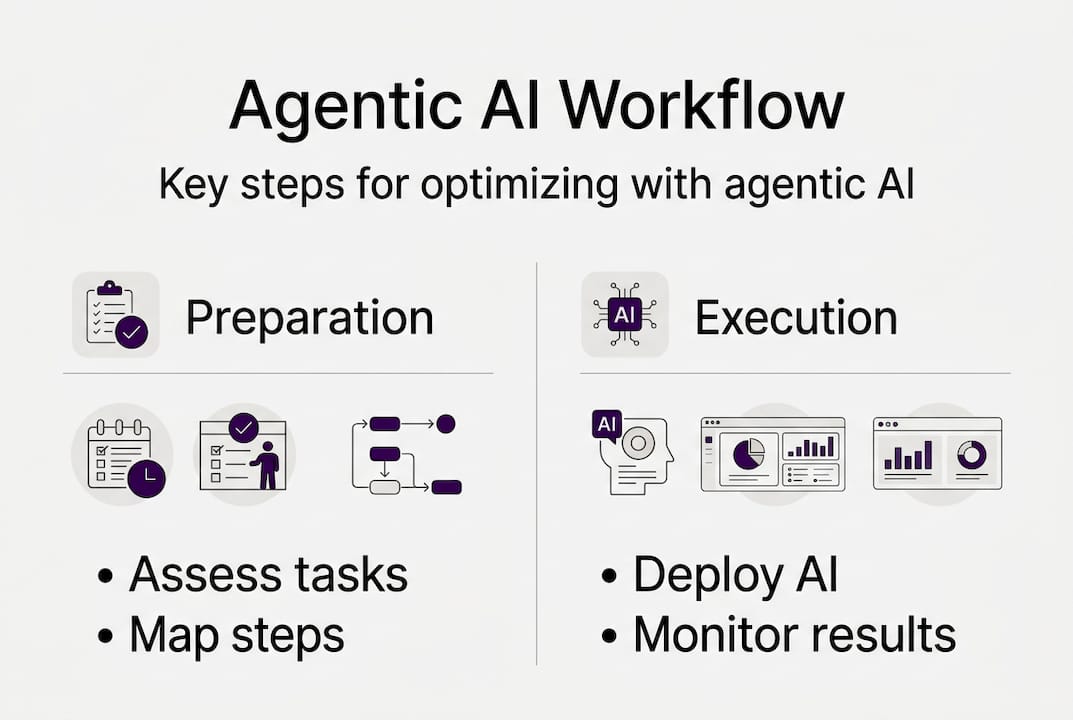
Execution: Step-by-step workflow optimization process with agentic AI
With your assessment complete, you have the information needed to move from planning to action. Here’s a sequenced approach that reflects how successful implementations actually run.
- Map the target workflow in detail. Document every decision point, data input, exception scenario, and handoff. Don’t simplify—agentic AI needs precise logic to operate reliably.
- Define your guardrails. Specify which decisions AI can make autonomously and which require human review. Agentic AI enables process speed and scalability but introduces risk without proper oversight, so explicit rules are non-negotiable.
- Select your tools and integrations. Identify which systems the AI needs to access: your CRM, ERP, document platform, or scheduling tool. Confirm API availability and security requirements.
- Configure the agentic AI. Build the workflow logic, set decision thresholds, and define escalation paths. Reference a structured agentic AI automation tutorial to stay aligned with compliance requirements.
- Test in a sandbox environment. Run the workflow with real-world data scenarios but in an isolated environment. Identify gaps and edge cases before touching live operations.
- Deploy with monitoring active. Go live with dashboards and alerts in place from day one. Don’t wait until something breaks to start watching. Use AI-driven operations benchmarks to set baseline expectations.
- Review and iterate. Schedule weekly reviews for the first month. Adjust thresholds, fix logic gaps, and refine escalation paths based on actual performance.
| Approach | Speed | Error risk | Oversight needed | Best for |
|---|---|---|---|---|
| Pure AI | Very fast | Higher | Continuous | Low-stakes, high-volume tasks |
| Hybrid | Fast | Lower | Periodic | Most office workflows |
| Traditional | Slow | Low | Moderate | Complex compliance tasks |
A DataRobot automation guide offers useful context on how automation logic is structured in complex deployments.
Pro Tip: Always test workflows in a sandbox environment before live rollout. Even well-designed AI workflows surface unexpected edge cases when exposed to real data variation.
Verification: Monitoring, measuring, and refining optimized workflows
Going live is not the finish line. Workflow optimization that isn’t monitored degrades over time. Processes change, data quality shifts, and edge cases accumulate. Sustained results require a deliberate verification loop.
Start by tracking the right indicators. Vanity metrics won’t tell you whether your workflow is actually performing better. Focus on:
- Cycle time: How long does the workflow take from start to finish compared to baseline?
- Error rate: How often does the AI produce incorrect outputs or require manual correction?
- Exception volume: How frequently do tasks escalate to human review?
- User satisfaction: Are the people interacting with the workflow finding it more efficient?
- Cost per transaction: What is the actual operational cost compared to before AI?
Reliability requires ongoing verification and a hybrid of disciplined processes plus AI. This isn’t a one-time check. It’s a continuous improvement loop that mirrors how Lean and Six Sigma practitioners approach process health.
Organizations that treat verification as a structured practice rather than an ad hoc review tend to sustain gains significantly longer. The Notion AI workflow tips resource outlines lightweight monitoring practices that fit well into operations team routines.
“An optimized workflow that isn’t measured is just a workflow you haven’t broken yet.”
Use decision logic in business workflows to periodically audit whether your AI’s decision thresholds still reflect current business rules. Business conditions change, and your AI logic needs to keep pace.
Common pitfalls to watch for:
- Logic drift: AI decision rules become outdated as business rules change
- Data degradation: Input data quality drops and AI outputs become unreliable
- Oversight gaps: Human review steps get skipped as confidence builds
- Scope creep: Teams expand AI responsibilities without adding proper guardrails
Set a quarterly review cadence at minimum. Monthly is better during the first six months after deployment.
Our perspective: The critical role of hybrid intelligence in workflow optimization
Here’s the honest view after working through agentic AI implementations across operational environments: pure AI without process discipline is a liability, not an asset.
Teams that rush to deploy agentic AI on poorly documented workflows often find themselves debugging AI behavior rather than improving operations. The AI runs fast, but it runs the wrong process fast. That’s not optimization.
Hybrid approaches outperform pure AI or pure manual processes in balancing reliability and speed. This aligns with what the most effective implementations consistently show: AI acceleration delivers the most value when it’s built on a foundation of solid process design, not used as a shortcut around it.
The teams that get the best results treat AI as an execution layer, not a strategy layer. Lean principles define the target state. Six Sigma disciplines confirm the logic is sound. Agentic AI then runs those processes with speed and consistency that human teams simply can’t match at scale. Understanding the operational AI future means accepting that the competitive edge comes from better-designed processes running on smarter systems.
Pro Tip: Standardize checkpoints where AI hands off to human reviewers. These aren’t signs of weak AI. They’re signs of smart system design.
Accelerate your workflow transformation with proven AI solutions
If this guide has clarified the path forward, the next move is seeing what these principles look like in practice. At Ailerons.ai, we design and deploy agentic AI systems built specifically for office and operational workflows. Our approach combines process rigor with AI capability, so your team gets speed without sacrificing reliability. Explore our real-world case studies to see how organizations like yours have reduced administrative overhead, shortened cycle times, and scaled operations without growing headcount. If you’re ready to move from assessment to implementation, our team is ready to help you build something that works.
Frequently asked questions
What is agentic AI and how is it different from traditional automation?
Agentic AI can reason, plan, and make decisions across multi-step tasks, while traditional automation follows fixed rules without contextual judgment. Without proper guardrails, agentic AI can produce errors, so structured oversight is essential from the start.
How do I choose which workflows to optimize first?
Start with processes that are high-volume, repetitive, and well-documented, since these offer the fastest gains with the lowest risk. Hybrid agentic AI approaches work best when the target workflow has clean data and clear decision logic already in place.
What guardrails should I put in place for agentic AI?
Define which decisions the AI can make independently and which require human sign-off, then enforce those boundaries through system configuration, not just policy. Agentic AI needs guardrails for reliability, and the most effective implementations build checkpoints directly into the workflow architecture.
How can I measure the success of my workflow optimization project?
Track cycle time reduction, error rates, exception volume, and cost per transaction alongside user satisfaction scores for a complete picture. Verification and measurement are what separate workflows that improve once from workflows that keep improving over time.
Recommended
- Improving Business Workflows with AI: Achieve Automation | Ailerons IT Consulting
- Step-by-Step Guide to AI-Driven Office Automation Success | Ailerons IT Consulting
- Process Automation Tutorial for Agentic AI in Compliance Workflows | Ailerons IT Consulting
- Step by Step Business Automation Guide for SMBs | Ailerons IT Consulting