

TL;DR:
- Manual billing tasks consume 20 to 30 hours weekly, leading to errors and delayed payments.
- Automating workflows with integrated AI reduces manual effort, minimizes errors, and handles exception resolution.
- Tracking key metrics before and after automation verifies ROI and identifies areas for continuous improvement.
Manual billing eats time that operations teams can’t afford to lose. Between chasing approvals, correcting duplicate invoices, and reconciling mismatched payments, finance and operations staff at mid-sized companies routinely spend 20 to 30 hours per week on tasks that software can handle automatically. The cost isn’t just labor. Errors compound, payment cycles stretch, and your team’s attention gets pulled away from higher-value work. This guide covers what you need to automate billing workflows, how to set them up step by step, how to manage exceptions, and how to verify that your investment is actually paying off.
Table of Contents
- What you need to automate billing workflows
- Step-by-step: Automating your billing process
- Handling exceptions and edge cases effectively
- Verifying success and measuring ROI
- Why automation alone isn’t enough: A practical perspective
- Ready to transform your billing with automation?
- Frequently asked questions
Key Takeaways
| Point | Details |
|---|---|
| Preparation is key | Choosing compatible tools and mapping integrations before automating billing workflows prevents costly mistakes. |
| AI resolves exceptions | Integrating AI lets you automate 60-70% of billing errors and anomalies automatically. |
| ROI is measurable | Effective automation saves up to 25 hours per week and can be tracked with reductions in error rates and delays. |
| People still matter | Human oversight is crucial for continuous improvement and handling novel exceptions outside automation’s reach. |
What you need to automate billing workflows
Moving from manual to automated billing starts with understanding the tools and integrations required. Not every platform is built the same, and choosing the wrong one creates more problems than it solves.
Automated billing workflows use software to handle invoice creation, payment processing, reconciliation, and exceptions automatically, integrating with accounting systems and using AI for predictions. That definition matters because it sets the scope. You’re not just automating one task. You’re connecting a chain of dependent processes.
Core integration requirements:
- Accounting software (QuickBooks, Xero, NetSuite): Syncs invoice data and payment records in real time
- Payment gateways (Stripe, Braintree, Authorize.Net): Processes transactions and feeds status updates back to your billing system
- ERP systems: Aligns billing with inventory, contracts, and customer records
- CRM platforms: Pulls customer and contract data to generate accurate invoices without manual entry
Beyond integrations, look for platforms that include AI-driven exception handling. Rule-based automation breaks when edge cases appear. AI adds the reasoning layer needed to resolve anomalies without human intervention every time. Learning more about improving business workflows with AI can help you evaluate which platforms genuinely offer this capability versus those that only market it.
Features checklist for automation readiness:
| Feature | Why it matters |
|---|---|
| Invoice auto-generation | Eliminates manual data entry errors |
| Payment retry logic | Reduces failed payment revenue loss |
| Reconciliation engine | Matches payments to invoices automatically |
| Exception routing | Flags unresolved issues for human review |
| Audit trail logging | Supports compliance and dispute resolution |
| API connectivity | Enables integration with existing systems |
Pro Tip: Before selecting a platform, map every system your billing process currently touches. Any platform that can’t integrate with your existing stack will create data silos, not efficiency.
For teams managing complex financial operations, reviewing financial operations automation steps provides a structured framework for evaluating readiness before committing to a platform.
Step-by-step: Automating your billing process
With tools and requirements in place, here’s how to move through the actual implementation without common missteps.
1. Map your current billing process Document every step from contract execution to payment receipt. Identify where delays occur, where errors get introduced, and where staff spend the most time. This map becomes your automation blueprint.
2. Identify bottlenecks and manual touchpoints Look for repeated manual entries, approval steps with no clear owner, and reconciliation tasks that require cross-referencing multiple systems. These are your highest-priority automation targets.
3. Select and configure your automation platform Choose a platform that meets your integration checklist. Set up connections to your accounting software, payment gateway, and ERP. Test data flow between systems before going live.

4. Configure invoice creation and delivery Set rules for invoice triggers (contract milestones, subscription renewals, usage thresholds). Automate delivery to the correct contact with the correct payment terms.
5. Set up payment processing and retry logic Configure automatic payment collection, failed payment retries, and dunning sequences. Define escalation rules for accounts that don’t resolve after a set number of attempts.
6. Automate reconciliation and notifications Enable automatic matching of payments to open invoices. Set up alerts for unmatched transactions and configure reporting dashboards for finance review.
7. Activate AI-driven exception handling Configure your AI layer to handle common edge cases automatically. Set thresholds for what gets auto-resolved versus what gets routed to a human reviewer.
Reviewing AI tasks professional firms should automate helps clarify which billing tasks are genuinely suited for AI handling versus those that still need human judgment.
| Step | Manual process | Automated process |
|---|---|---|
| Invoice creation | Manual data entry per invoice | Auto-generated from contract/CRM data |
| Payment collection | Staff follows up individually | Scheduled auto-collection with retry logic |
| Reconciliation | Manual cross-referencing | Automatic matching engine |
| Exception handling | Staff resolves each case | AI resolves 60-70%, escalates the rest |
| Reporting | Manually compiled | Real-time dashboard updates |
Automation reduces manual overhead from 20 to 30 hours per week down to 2 to 5 hours, and significantly cuts errors like duplicates and reconciliation mismatches. But it requires handling an increasing number of edge cases. Prioritize AI for exception management over rule-based logic alone.
Pro Tip: Follow a step by step business automation approach and automate one billing subprocess at a time. Starting with invoice creation before tackling reconciliation reduces risk and makes troubleshooting easier.
Handling exceptions and edge cases effectively
Automation saves major time, but reliability depends on how you manage the anomalies and exceptions that inevitably arise.
Most billing systems encounter a predictable set of edge cases. The problem is that even predictable exceptions can be numerous and complex. Billing edge cases that commonly break homegrown or rule-based systems include mid-cycle upgrades and downgrades requiring proration, concurrent changes to the same account, timezone boundary issues affecting billing dates, duplicate invoices, failed payments requiring dunning sequences, usage overages, and contract discrepancies.
“Exceptions needing AI resolution are 60 to 70% auto-resolved by well-configured AI workflows, but the remaining cases require clear escalation paths and human decision authority.”
This is where essential AI automation for operations makes the difference. AI-driven billing systems analyze transaction patterns, identify anomalies, and apply resolution logic without waiting for a staff member to notice the problem.
How to configure exception handling:
- Duplicate invoice detection: Match on invoice number, vendor, and amount. Flag any match for review before processing.
- Proration logic: Configure mid-cycle billing rules based on contract terms. Automate credit and charge calculations for upgrades and downgrades.
- Failed payment dunning: Set a retry schedule (day 1, day 3, day 7) with automatic customer notification at each stage.
- Timezone handling: Standardize billing timestamps to UTC and apply local timezone conversion only at the display layer.
- Usage overage alerts: Set threshold triggers that generate supplemental invoices automatically when usage limits are exceeded.
- Contract discrepancy routing: Flag invoices where billed amounts don’t match contract terms and route them to the appropriate reviewer.
Use the AI automation checklist to verify that your exception handling configuration covers each of these categories before going live. Monitoring routines matter too. Schedule weekly reviews of exception logs to identify new patterns that your AI configuration hasn’t encountered yet. Over time, those patterns become new automation rules.
Verifying success and measuring ROI
Effective exception handling lets you trust your system. Now the focus shifts to validating its impact and driving ongoing improvement.
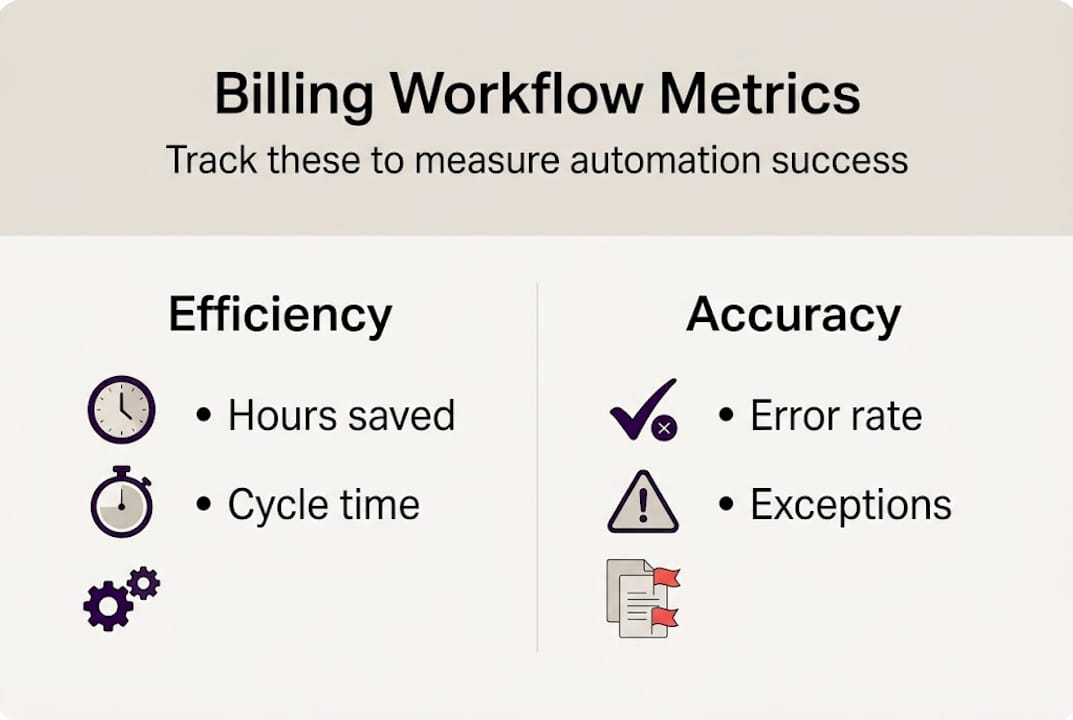
ROI measurement for billing automation is straightforward when you track the right numbers. Start by establishing a baseline before go-live. Record current manual hours per week, error rates, average invoice cycle time, and the volume of unresolved exceptions per month.
Key metrics to track post-automation:
- Manual hours per week: Target reduction from 20 to 30 hours down to 2 to 5 hours
- Invoice error rate: Track duplicates, incorrect amounts, and missing line items before and after
- Invoice cycle time: Measure days from trigger event to payment receipt
- Exception volume: Monitor total exceptions and the percentage auto-resolved versus escalated
- Payment delay rate: Track the percentage of invoices paid late and average days overdue
- Reconciliation time: Measure hours spent on monthly close before and after automation
Calculating quantitative ROI:
Multiply hours saved per week by your fully loaded labor cost per hour. Add the value of recovered revenue from faster payment cycles and reduced write-offs from errors. Subtract platform licensing and implementation costs. Most mid-sized operations see positive ROI within the first two to three billing cycles.
Iterate after go-live. Run monthly reviews of your metrics dashboard. Look for new exception types, processing delays, or integration errors that weren’t present at launch. Treat your automation configuration as a living system, not a one-time setup.
The administrative task automation process provides a useful framework for structuring these ongoing reviews and identifying the next layer of processes ready for automation.
Why automation alone isn’t enough: A practical perspective
The efficiency gains from billing automation are real and measurable. But teams that treat software deployment as the finish line often find themselves managing a new set of problems within six months.
Automation reduces repetitive work. It also concentrates risk. When a misconfigured rule runs at scale, errors multiply faster than any manual process could generate them. The teams that sustain long-term gains are the ones that invest as much in process adaptation and staff training as they do in software configuration.
The last 10% of exceptions, the ones AI can’t auto-resolve, are where the most significant ROI lives. These are complex cases involving contract disputes, multi-system data conflicts, or unusual customer circumstances. Empowering your staff to resolve these cases quickly, with clear authority and good tooling, is what separates a functional automation from a genuinely efficient one.
Reviewing which tasks suit AI automation versus human judgment helps teams draw that line correctly. Automation handles volume. People handle judgment. The organizations that understand this distinction build billing operations that scale without breaking.
Ready to transform your billing with automation?
You now have a clear roadmap for automating your billing workflows, from tool selection and step-by-step setup to exception handling and ROI measurement. Partnering with experienced teams can accelerate that process and reduce the risk of costly configuration errors.
Ailerons.ai designs and deploys agentic AI systems built specifically for operational workflows like billing, reconciliation, and financial administration. Explore workflow automation case studies to see how mid-sized organizations have reduced manual billing overhead and improved accuracy at scale. When you’re ready to move forward, Ailerons automation solutions can help you design a system that fits your existing stack and scales with your business.
Frequently asked questions
What are the main benefits of billing workflow automation?
Billing workflow automation reduces manual overhead from 20 to 30 hours per week to as few as 2 to 5 hours, while cutting errors like duplicate invoices and reconciliation mismatches. It also accelerates invoice cycles and improves payment collection rates.
How do AI-driven billing automations handle exceptions and errors?
AI-driven workflows auto-resolve 60 to 70% of billing exceptions, such as failed payments and duplicate invoices, by analyzing transaction patterns and applying resolution logic. The remaining cases are escalated to human reviewers with full context attached.
What metrics should I track to measure automation ROI?
Track manual hours saved, invoice error rates, processing cycle time, exception volume, and payment delay rates. Establishing a pre-automation baseline makes it straightforward to calculate the reduction in manual overhead and quantify total ROI.
Should I start workflow automation with a pilot or full rollout?
Start with a pilot focused on one billing subprocess, such as invoice creation or payment retry logic. Test accuracy and exception handling thoroughly before expanding to the full billing workflow.
Recommended
- Improving Business Workflows with AI: Achieve Automation | Ailerons IT Consulting
- Step by Step Business Automation Guide for SMBs | Ailerons IT Consulting
- 6 Key Tips for Scaling Business Automation in Healthcare | Ailerons IT Consulting
- Step-by-Step Guide to AI-Driven Office Automation Success | Ailerons IT Consulting