

TL;DR:
- Over half of SMBs use AI to automate repetitive office tasks, saving significant time and reducing errors.
- Most AI pilots fail due to poor process documentation, data quality issues, and lack of human oversight.
- Successful AI adoption requires thorough planning, process clarity, data cleanup, and ongoing human involvement.
Over half of small and mid-sized businesses already use AI to handle core office tasks, yet most leaders still struggle to capture its full value. 57% of SMBs have adopted AI, with workers saving an average of 5.6 hours per week and some teams cutting administrative workload by 60%. Despite those numbers, the gap between early wins and lasting results remains wide. This guide breaks down exactly what AI does well in office settings, where it falls short, and what steps actually move the needle. If you’re weighing AI investments or trying to fix a stalled pilot, this is the practical clarity you need.
Table of Contents
- How AI transforms everyday office tasks
- Measurable business benefits: Beyond time savings
- Critical pitfalls: Why 95% of AI pilots fail in the office
- Bridging the trust gap: Strategies for sustainable AI-empowered offices
- Our perspective: The overlooked essentials for AI-powered offices
- Ready to level up your office operations with AI?
- Frequently asked questions
Key Takeaways
| Point | Details |
|---|---|
| AI saves SMBs hours | On average, AI tools save SMB workers over 5 hours per week by automating repetitive office tasks. |
| Pilot with preparation | Process documentation, data cleanup, and good human oversight are critical to avoid the 95% pilot failure rate. |
| Benefits go beyond speed | AI in office ops delivers cost cuts, fewer errors, improved customer experience, and better scalability. |
| Trust and training matter | Addressing the trust gap between managers and staff with transparency and training ensures sustainable adoption. |
How AI transforms everyday office tasks
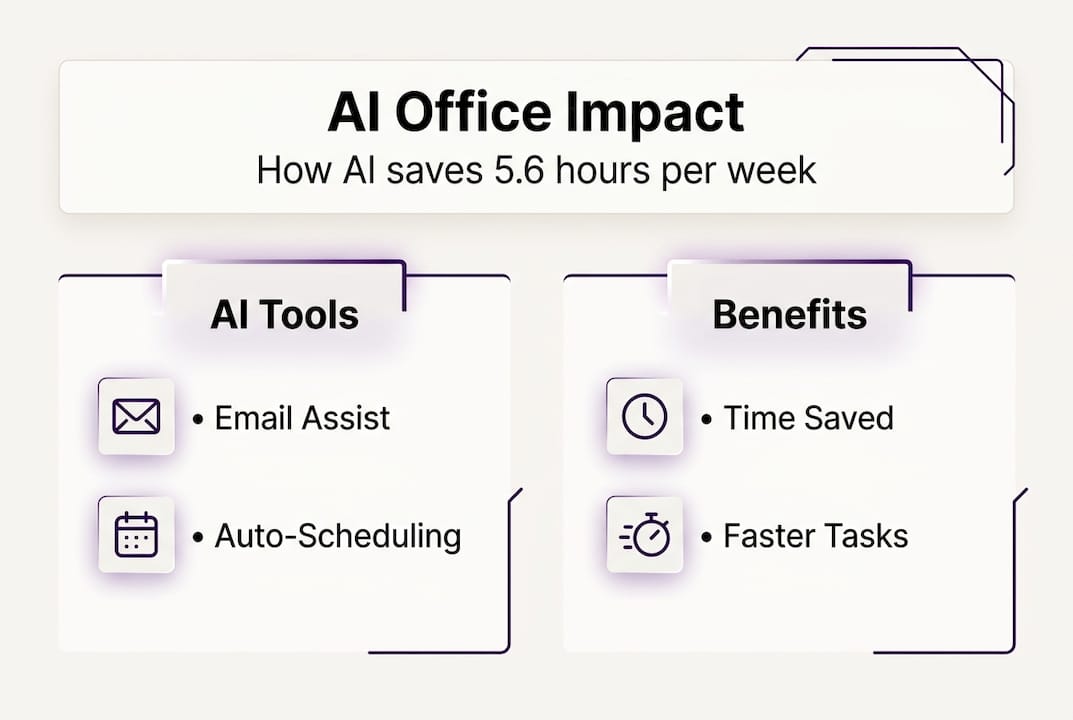
AI’s impact on daily office work is concrete and measurable. It handles the repetitive, rule-based tasks that consume your team’s time without adding strategic value. AI automates administrative tasks such as email triage, meeting scheduling, document generation, invoice processing, and customer support queries, saving SMB workers an average of 5.6 hours per week.
The range of affected tasks is broader than most leaders realize:
- Email triage and routing: AI reads, categorizes, and prioritizes incoming messages, flagging urgent items and drafting responses.
- Meeting scheduling: Intelligent scheduling tools check availability across calendars, propose times, and send confirmations automatically.
- Invoice processing: AI extracts data from invoices, matches purchase orders, and queues payments for approval.
- Document generation: Templates combined with AI drafting cut document creation time significantly.
- Customer support: AI handles tier-one queries around the clock, escalating complex issues to staff.
The productivity numbers are hard to ignore. 72% of SMBs report measurable productivity gains after AI adoption, and marketing teams in particular have reported saving up to 13 hours per week on content and campaign tasks.
| Office task | Typical AI tool type | Estimated time saved per week |
|---|---|---|
| Email triage | AI email assistant | 2-3 hours |
| Meeting scheduling | Intelligent scheduling agent | 1-2 hours |
| Invoice processing | Document AI / OCR | 2-4 hours |
| Document drafting | Generative AI writer | 1-3 hours |
| Customer support | AI chatbot / agent | 3-5 hours |
Understanding the integration effort in office AI is critical before you deploy any of these tools. Systems that don’t connect cleanly to your existing platforms create more manual work, not less. A solid business automation guide can help you map dependencies before you start.
Pro Tip: Document every task flow in detail before deploying automation. If your team can’t describe a process step by step, an AI system will not execute it reliably. Clarity on paper comes before clarity in code.
Explore AI solutions for office operations to see which task categories align best with your current workflow gaps.
Measurable business benefits: Beyond time savings
Once you’ve automated core tasks, the organizational impact compounds quickly. Time savings are the entry point, but the downstream effects touch cost structure, error rates, customer experience, and your ability to scale.
Empirical benchmarks show that 57% of SMBs invest in AI, 72% report productivity gains, task cycles run 40% faster, and some businesses have achieved a 60% reduction in administrative workload, translating to roughly $4,000 per month in cost savings in documented cases.
“72% of SMBs now view AI as a genuine game-changer for their operations, not just a convenience tool.”
The ripple effects follow a clear sequence:
- Automation of repetitive tasks frees staff time immediately.
- Error rates drop as AI applies consistent rules without fatigue.
- Invoicing and billing cycles accelerate, improving cash flow.
- Customer response times shrink, raising satisfaction scores.
- Employee satisfaction improves as staff shift to higher-value work.
- Scalability increases without proportional headcount growth.
The comparison between traditional and AI-enabled workflows makes the business case visible:
| Factor | Traditional workflow | AI-enabled workflow |
|---|---|---|
| Task cycle speed | Baseline | Up to 40% faster |
| Error rate | Higher, fatigue-driven | Significantly reduced |
| Monthly admin cost | Full labor cost | Reduced by up to 60% |
| Scalability | Requires new hires | Scales with configuration |
| After-hours coverage | Limited | Continuous via AI agents |
AI impact evidence from administrative software registries confirms that office roles see faster disruption than factory roles, making the business case for proactive adoption stronger for SMBs. Guides on improving business workflows and strategies to boost office efficiency with AI offer practical frameworks for capturing these gains systematically.

Critical pitfalls: Why 95% of AI pilots fail in the office
Beneath the glossy case studies, most AI deployments hit sharp obstacles. The failure rate is not a rumor. 95% of generative AI pilots fail in organizations that lack upfront process preparation, clean data, and human oversight structures.
The most common failure points include:
- Poor process documentation: AI cannot automate what hasn’t been defined. Undocumented or inconsistent processes produce unpredictable outputs.
- Dirty or siloed data: AI systems trained on incomplete or inconsistent records generate unreliable results and erode trust fast.
- Overreliance on automation: Removing humans entirely from judgment-heavy steps creates blind spots and compliance risks.
- Lack of human-in-the-loop design: Without checkpoints for human review, errors propagate silently through workflows.
- Workforce resistance: Staff who don’t understand the AI’s role become obstacles rather than collaborators.
95% of generative AI office pilots fail when organizations skip foundational preparation steps.
AI hallucinations, where the system generates plausible but incorrect information, are a real operational risk. Regulatory gaps are another. If your AI processes contracts, invoices, or customer data without compliance guardrails, you expose the business to legal liability. Tribal knowledge bottlenecks occur when experienced staff hold undocumented process logic that AI simply cannot access.
Understanding AI implementation challenges at the architecture level helps you design around these failure modes rather than discover them mid-deployment. Tracking agentic AI trends and AI trends 2026 keeps your planning current as the technology evolves.
Pro Tip: Scope your first AI pilot tightly. Choose one well-documented process with clear inputs and outputs. Run it with human oversight for at least 30 days before expanding. The cost of a small, controlled pilot is far lower than the cost of a failed broad rollout.
Before estimating deployment budgets, reviewing AI app build costs helps you set realistic expectations and avoid budget overruns.
Bridging the trust gap: Strategies for sustainable AI-empowered offices
To turn pilot wins into lasting results, you need to address the human dynamics behind every AI initiative. Technology is the easier part. Culture and trust take more deliberate effort.
Managers report saving more time from AI tools than frontline workers do, and 22% of workers express concern about trust and job stability. That gap creates friction. If your team believes AI is a threat rather than a support tool, adoption stalls regardless of how good the technology is.
Five steps that consistently close the trust gap:
- Document processes first. Map every workflow you plan to automate before selecting a tool. This step alone prevents most pilot failures.
- Clean your data. Audit data sources for completeness and consistency. AI performance is directly tied to data quality.
- Run a transparent rollout. Communicate clearly about what the AI will do, what it won’t do, and how staff roles will shift.
- Train your team. Invest in practical training, not just tool demos. Staff need to understand how to work alongside AI, not just around it.
- Build feedback loops. Create structured channels for staff to flag errors, suggest improvements, and report edge cases.
“For judgment-heavy processes, human-in-the-loop management is not optional. It is the design standard that keeps AI reliable and your team accountable.”
Context-aware automation is particularly important for complex, unstructured tasks where rigid scripts fail. AI works best as an augmentation layer, handling volume and consistency while humans manage exceptions, relationships, and decisions that require real judgment.
Optimizing your tech recruitment workflow to bring in staff with AI literacy also accelerates sustainable adoption across the organization.
Our perspective: The overlooked essentials for AI-powered offices
These strategies set you up for sustainable adoption, but here’s what the typical playbook misses. Most SMBs focus on tool selection as the primary decision. They evaluate vendors, compare features, and negotiate contracts before they’ve done the foundational work that actually determines success.
Process documentation and data cleanup are essential before AI deployment, yet they’re consistently treated as afterthoughts. The result is predictable: the AI runs on flawed inputs and produces flawed outputs, and the tool gets blamed for a process failure.
“AI-first” thinking backfires without robust baseline workflows. If your current process is chaotic, automating it just makes the chaos faster. The technology should follow the process, not define it.
Ops managers are the real change agents here, not just the tech buyers. Your role is to own the workflow design, drive the documentation effort, and hold the feedback loop accountable. That’s where the leverage is. Iterative pilots with honest internal review cycles consistently outperform big-bang deployments. Start small, learn fast, and expand only what works.
Explore AI-driven office automation for a structured approach that puts process before platform.
Ready to level up your office operations with AI?
If you’re ready to move from theory to results, the next step is seeing how other SMBs and mid-market teams have applied these principles in practice. Ailerons.ai has worked with operations teams across industries to design and deploy agentic AI systems that handle real office work, from scheduling and document management to billing support and compliance workflows.
Browse AI office case studies to see specific outcomes and implementation approaches. When you’re ready to assess your own environment, the AI consulting services team can help you identify where to start, what to prepare, and how to avoid the pitfalls that derail most pilots.
Frequently asked questions
What office operations benefit most from AI automation?
Repetitive and rule-based tasks like email triage, scheduling, document generation, invoicing, and customer support see the largest efficiency gains because they follow consistent patterns that AI handles reliably at scale.
Why do most office AI pilots fail?
AI pilots fail primarily due to poor process documentation, bad data hygiene, and insufficient human oversight, contributing to a 95% failure rate among organizations that skip foundational preparation.
How can SMBs maximize AI adoption success?
Document processes clearly, clean up siloed data, start with tightly scoped pilots, and keep humans in the loop. Process documentation and data cleanup before deployment are the most consistently cited factors in successful rollouts.
Does AI automation threaten office jobs?
AI displaces some routine office work but generally augments staff rather than eliminating roles. No net job loss has materialized broadly as of 2026, though mid-skill roles face wage pressure as automation absorbs high-volume, low-complexity tasks.
Recommended
- AI-driven operations guide: boost efficiency 72% in 2026 | Ailerons IT Consulting
- AI Trends in 2026: Transforming Office Operations | Ailerons IT Consulting
- Top 5 AI Solutions for Office Operations 2026 | Ailerons IT Consulting
- AI in Business Process Management: Unlocking Efficiency | Ailerons IT Consulting
- AI in job management: How Irish trades boost efficiency